
For quite a while, my Linux experience was relatively conventional. Linux Mint is my daily operating system, and I like it a lot. It works, it stays out of the way and, for most things I do, it gives me exactly what I need. But Linux becomes much more interesting when you stop trying to make it behave like a conventional desktop operating system.
I recently came across two articles that approach this from rather different directions. One is Franklin Strube’s article about Omarchy (https://dev.to/fstrube/is-omarchy-any-good-3069), while the other is a post called The Third Way of Using Linux (https://hisvirusness.com/third-is-the-way#the-true-middle-ground). And, being me, reading about these things wasn’t quite enough. So I installed both Omarchy and TUIOS, one after the other, on the same laptop.
Both installations went remarkably smoothly. No disasters, no hours spent trying to convince Wi-Fi to work, no mysterious black screens. Install, reboot, start exploring. But installation isn’t really the interesting part. The interesting part is what happens afterwards.
Two very different ideas of what Linux can be
Omarchy is built around a very modern interpretation of the graphical Linux desktop. It is based on Arch Linux and makes extensive use of keyboard shortcuts and a tiling window manager. Windows arrange themselves neatly across the screen, the interface is deliberately minimal and there is a strong feeling that somebody has actually thought about how all the pieces should work together.
Franklin Strube describes Omarchy in his article as fast, focused and particularly suited to people who spend much of their day behind a keyboard. That matches my experience rather well. It is certainly not Linux Mint with a different wallpaper. It asks you to learn another way of interacting with your computer. But it is still very clearly a graphical computing environment.
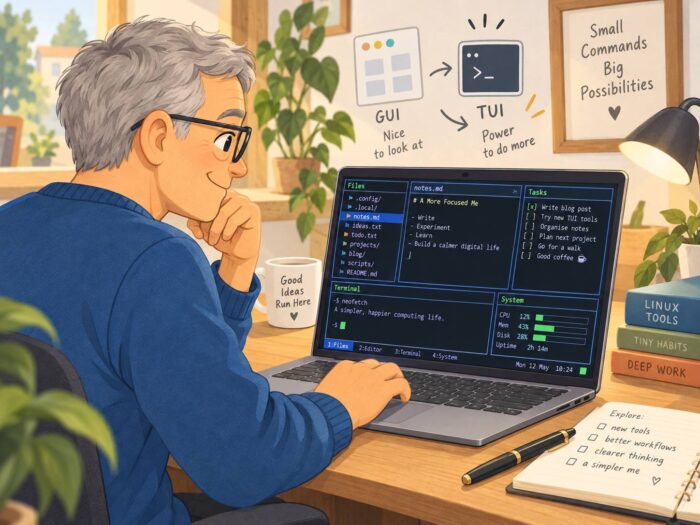
And then there is the other direction. The author of The Third Way of Using Linux argues that we tend to think there are only two ways of working with a computer: the command line or a graphical interface. But there is something in between: the TUI, or Text User Interface.
A TUI runs in a text environment but still gives you something resembling an interface. Menus, panels, lists, file managers and system monitors. Applications that you navigate instead of simply typing command after command. Anyone who has used things such as Midnight Commander, htop or one of the text-based Linux installers has already encountered this idea. The interesting question is what happens when you stop treating those applications as occasional tools and start treating the TUI itself as your primary computing environment. That is where TUIOS comes in (https://github.com/Gaurav-Gosain/tuios).
The third way
Using TUIOS is a rather strange experience at first. It isn’t quite “living in the terminal”, at least not in the way that expression is normally used. You don’t spend the entire day staring at a command prompt typing commands from memory. But neither are you sitting inside something like Cinnamon, GNOME or KDE. There is very little graphical overhead. Applications tend to be text-based. Everything feels stripped down, fast and strangely direct.
And in a way that changes the relationship you have with the computer. A normal desktop constantly invites you to do something else. There are browsers, tabs, notifications, videos, graphical applications and dozens of things competing for screen space. A TUI environment feels much more like a tool. You open something because you want to do something. And then you do it. I find that surprisingly appealing.
The original article describes the TUI as a genuine middle ground: more approachable than a pure command line, while avoiding much of the graphical infrastructure associated with traditional desktop environments. After actually using TUIOS, I understand what the author means.
Of course, there is a catch
There are some fairly obvious limitations. The moment your work becomes heavily graphical, things become considerably more complicated. Watching YouTube isn’t exactly the natural habitat of a TUI. Neither is modern gaming. Photo editing, video editing and other visually intensive tasks obviously make much more sense inside a traditional graphical environment.
The author of The Third Way acknowledges exactly this problem. Audio, video and graphics editing simply don’t fit particularly well into this model, and even modern web browsing becomes more constrained. So I don’t see TUIOS as some kind of universal replacement for Linux Mint. But that would be missing the point.
What interests me is that it demonstrates another possibility. Modern computing has become remarkably uniform. Windows, macOS, ChromeOS and most mainstream Linux desktops may look different, but the underlying idea is largely the same: windows, icons, menus, browser tabs, applications and a mouse-driven graphical desktop. Linux allows you to question that assumption. Omarchy does that while remaining firmly graphical. TUIOS goes much further.
It also reminded me of writerdecks
While experimenting with TUIOS, I kept thinking about something I have seen appearing here and there over the past few years: the writerdeck. A writerdeck is basically a computer deliberately designed around writing and very little else. Sometimes people build dedicated little machines with keyboards and small displays. Other times they take an old laptop and deliberately remove almost everything that might distract them.
Veronica Explains describes an interesting example here: https://veronicaexplains.net/my-first-writerdeck/. She turned an older Linux laptop into a writerdeck by installing Debian without a graphical desktop at all. It boots into a text console and uses tools such as Neovim, tmux and Syncthing for writing, navigating and synchronising files. The whole point is to create a computer that encourages writing instead of providing an endless collection of distractions.
There is something slightly absurd about taking a perfectly capable modern computer and deliberately making it capable of less. But perhaps that is exactly why the idea is so interesting. We normally measure progress by adding things. More applications. More graphics. More integrations. More notifications. More ways of doing things.
A writerdeck reverses that logic. Maybe a useful computer isn’t always the computer that can do the most. Perhaps sometimes it is the computer that makes it easiest to do the one thing you actually sat down to do. I will definitely return to writerdecks in a later blog post. If only because I’m planning to build one myself. There is an entire rabbit hole there that deserves a closer look.
Linux as an experiment again
That, in the end, is what I enjoyed most about installing Omarchy and TUIOS. Neither convinced me to immediately replace Linux Mint on my main machine. That wasn’t really the point. They reminded me that Linux doesn’t have to be an alternative version of Windows or macOS. It can be something genuinely different. You can build a sleek, keyboard-driven graphical environment like Omarchy. You can go almost entirely text-based with something like TUIOS. You can turn an old laptop into a distraction-free writerdeck. Or you can create something somewhere in between all of those. For me, there is no single correct desktop. And perhaps there doesn’t even have to be a desktop. For me, that freedom to experiment is still one of the most interesting things about Linux.