
I have been experimenting quite a bit lately with small tools, websites and AI projects. Not because I am trying to build the next big platform, but mostly because I enjoy finding out what is possible when you combine relatively simple technology with an idea.
One of those experiments is my little automated newsroom. I wrote about it earlier in “My laptop is running a tiny newsroom” (https://justme.website/content-creation/my-laptop-is-running-a-tiny-newsroom/). The basic idea is fairly straightforward. I built a setup that can create and maintain small, highly specialised news websites automatically. An open-source/open-weight LLM monitors a collection of sources about a particular niche subject. And I deliberately don’t limit those sources to English. They can be websites in Dutch, German, French, Swedish, Norwegian, Finnish, Italian or whatever language happens to be useful for that particular subject. The model decides which stories are new and relevant, writes a short news item based on a prompt I created, adds a link to the original source and publishes the result on a website.
At the moment, that newsroom is still very much a … well … internal operation. With “internal” meaning: it lives on my laptop. And yes, that includes the LLM. There are things I still want to improve, but as a proof of concept it works. I expect to be able to publish the first of these niche websites in a few weeks. So stay tuned.
Journalism could use more ideas
And once something like that works, an obvious question appears: what else could I do with this approach? I keep coming back to the world of journalism. There is certainly no shortage of journalism. But I think there is plenty of room for new ideas about how we do journalism. New tools. New services. New editorial products. New ways of presenting information. Small experiments that may never become businesses but could still turn into something useful. So I wondered whether I could use roughly the same LLM-plus-website approach to create a continuous stream of ideas for new journalistic products.
Once again, with a little vibe coding, building the first version wasn’t particularly difficult. I gave the LLM a fairly detailed description of what I wanted to achieve. In other words: my version of a product requirements document. I want ideas for new products, tools and services related to journalism and editorial work. For every idea, I want a short description explaining what it is and why it could be useful. And I want two of those ideas published every day. There was one additional requirement: I wanted to be able to add my own ideas as well. The result is Editorial-Ideas.com (https://editorial-ideas.com/).
This time, no WordPress
As with many of my proof-of-concept projects, the whole thing runs automatically. This time I didn’t use WordPress for the website itself. I decided to use a static site generator called Hugo (https://gohugo.io/). I will probably write another post about static site generators and Hugo at some point, because that turned out to be an interesting subject in itself.
Hugo runs on my little Slimbook Zero server (https://slimbook.com/en/zero), which I have mentioned here on Just Me before. It isn’t an enormously powerful server. Quite the opposite. But that is exactly why I like it. It has become the foundation for quite a few of my experiments.
Both the LLM and Hugo run locally on that machine. The LLM creates the ideas and content. Hugo turns that content into the actual website. A script then uploads the generated site via FTP to an external hosting provider. And that’s basically it.
Twice a day, the machine goes to work and a new idea appears on the website. I can also join the process myself. If I come across an interesting idea somewhere, or think of something myself, I can simply create a Markdown file and add it to the stream of ideas. So although the website is largely automated, I am not locked out of my own newsroom. Which seems useful.
But which LLM?
One part of this project turned out to be particularly interesting: choosing the LLM. Which model do you use for something like this? How large should it be? What can my little server actually handle? Is Llama better than Qwen for this? Would a Mistral model produce better ideas? How do I run these models locally? And how small can I go before the quality becomes noticeably worse?
Figuring that out was actually a significant part of the fun. I tried different models and sizes. And the conclusion was perhaps less exciting than I expected. For this particular project, it doesn’t matter that much. Mistral doesn’t magically write much better ideas than Qwen. Llama doesn’t suddenly transform the project either. There are differences between models, obviously, but they turned out to be much less important for this use case than choosing an appropriately sized model and giving it good instructions.
And “appropriately sized” in my case means relatively small. The model I eventually settled on is literally only a few gigabytes. That is partly dictated by the hardware. My little server has limits. A local LLM, even a relatively small one, can still make it work pretty hard. But here is the important part: I don’t care. The model only needs to do this twice a day. If generating an idea, writing the text and rebuilding the website takes a little longer, nothing happens. Nobody is sitting in front of Editorial-Ideas.com with a stopwatch waiting for the next idea to appear. There is absolutely no reason for this particular application to be lightning fast.
Maybe the small model is the right model
For me, that was another confirmation of something I have believed for some time: choose the LLM that fits the project. That sounds obvious, but the AI world has a strange fascination with the latest and greatest. Bigger models. More parameters. Bigger servers. More GPUs. More everything. And yes, putting an enormous model on a ridiculously powerful machine or cluster of machines looks impressive. But does your use case actually need it?
For this PoC, the answer is obviously no. A small local model running twice a day is perfectly capable of doing the job I need it to do. Using something dramatically bigger would mostly mean spending more money and consuming more computing resources without necessarily producing a significantly more useful website. For homelabs and small experiments in a business setting, that is important. You do not need to buy a ridiculously expensive new Mac Mini. Existing or older hardware will often work perfectly well.
I think the same considerations apply to professional AI projects within companies and government organisations. Start with the use case. What exactly are you trying to achieve? How good does the output need to be? How fast does it need to be? What hardware do you already have? What are your privacy or data requirements? I mean, we want Privacy by Design! And then choose a model. The latest and greatest isn’t automatically the best choice. Sometimes a model of a few gigabytes quietly running on a small server is all you need.
Anyway, here it is
The result of all this tinkering is Editorial-Ideas.com (https://editorial-ideas.com/). There are still a few small things I want to change. There probably always will be. That is part of running these kinds of projects. But the basic idea works. Twice a day, a new idea appears for a journalistic tool, service or product. Have a look. Maybe there is an idea there that makes you think: Hmm, I could do something with that. Maybe there isn’t. That’s fine too. But if you do find something interesting and decide to build on it, I hope it turns into something successful. More importantly, I hope it turns into something that is fun to work on. And if you actually start working on one of the ideas, do let me know. I would genuinely like to hear what happened to it.
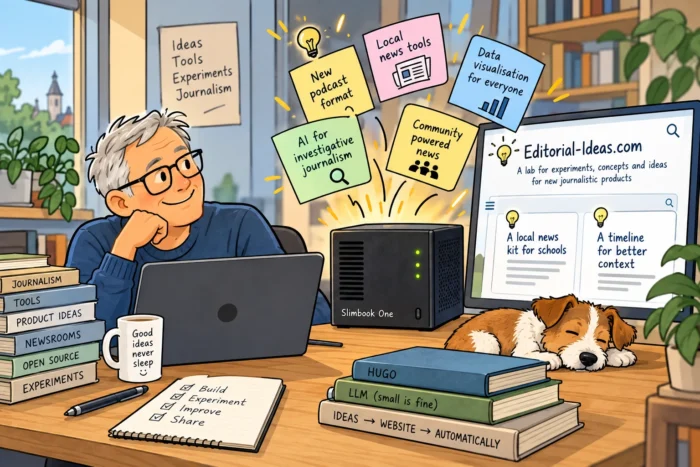
Oh, and by the way: if you check the filename of the cartoon (editorial-ideas.png-shrunk.webp), you’ll notice the word “shrunk” in there. That’s because I’m still using my fully automated service to resize images in my Downloads directory. And that’s the beauty of automation: once it works, you can simply forget about it. It quietly does its job in the background without you having to think about it. You can read about this here: https://justme.website/content-creation/my-downloads-folder-now-resizes-photos-for-me/.