
1. Just Me Backup: Because Our Websites Deserve a Backup Plan
I made a very deliberate choice to use my own website. Yes, it runs on WordPress (open source), but I host it with a provider I chose myself. Running the whole thing on my own server is still a step too far for me, for several reasons. Maybe one day.
But owning a website is one thing. Making sure you actually keep what you publish is another. So I decided that I want to make a complete backup of JustMe every month. I spent some time thinking about the format. A WordPress backup is useful, obviously, but I also wanted something I could simply open and read years from now, without needing WordPress, a database or a web server.
I ended up choosing ePub. That way, both the text and much of the formatting of the website are preserved. And an ePub is basically just a book. Easy to store. Easy to copy. Easy to read. You can even print it, if you like.
There are several online services that can turn a website into an ePub. But where would be the fun in that? So I wrote a small web app of my own. I called it Just Me Backup.
You simply download it, install it, point it at your website, and choose the month you would like to create an ePub backup for. JustMe Backup then creates an ePub version of your site that you can store wherever you like.
At the moment, I have only made a version for Linux Mint and Debian. I may create a macOS version later. If that would be useful to you, let me know in the comments.
You can download Just Me Backup using the link below. The ZIP file contains everything you need, including instructions for installing and using the app on Linux Mint or Debian.
Have fun with it. And perhaps more importantly: keep your own copy of what you publish.
One small disclaimer: Just Me Backup is free for anyone to use, but you use it entirely at your own risk. I cannot take responsibility for whether it works correctly on your particular system, or for anything that might go wrong while using it. That said, on my own Linux Mint setup it has been working flawlessly so far.
2. Sometimes Text Needs a Little ASCII
Running your own website means regularly bumping into small problems that need solving. I often have to shrink photos of several megabytes down to something like 200 kB before putting them online, for example. I have actually built both a web tool and a small app for that, which may eventually appear here as well.
But I also regularly stumble across useful little tools made by other people that are simply too good not to share.
One of those is the Text to ASCII Art Generator (TAAG) by Pat Gillespie. Type in some text, choose from a rather impressive collection of fonts, and it instantly turns your words into ASCII art. The tool has actually been around since 2007 and is still actively maintained, with a major rewrite released in 2025 and more font support added in 2026. It is fast, wonderfully simple and does exactly what it promises. Here, for example, is JustMe.website in ASCII style.
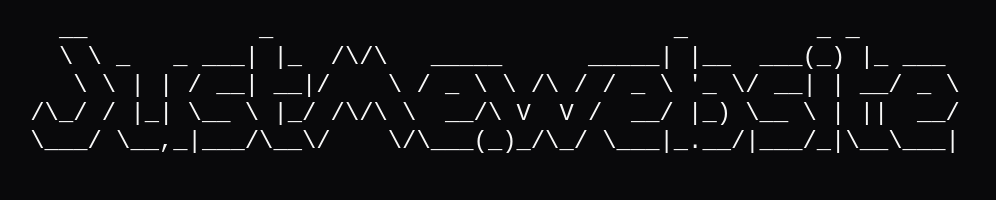
Try the Text to ASCII Art Generator here:
3. Photo Toolkit
I built a small Photo Toolkit for a problem I run into all the time: photos that are several megabytes in size when all I really need for a website or blog is something closer to 300 kB. The toolkit is actually a small service that quietly runs in the background and keeps an eye on my downloads folder. Save a new photo there and the service notices it, creates a much smaller version of roughly 300 kB and places that next to the original. The large photo stays exactly where it is, so nothing gets lost. A very simple idea, but surprisingly useful if you regularly publish photos online.