I Miss Shareware. But Vibe Coding May Be Even Better

I came across a lovely article today about something I had almost forgotten about: shareware (https://deadparrotbbs.com/what-happened-to-shareware/). And reading it brought back quite a few memories.

For anyone who started using computers a little later: shareware was basically software you could download, install and actually use before deciding whether you wanted to pay for it. Sometimes the free version had a nag screen. Sometimes a few features were disabled. Sometimes you could use almost everything and the developer simply trusted that, if you liked the program, you would eventually send some money. It was a wonderfully simple arrangement: here is my software, give it a try, and if you like it, please pay me.

I tried a lot of it

I used a lot of shareware over the years, especially during what I like to call my “Windows days.” And I bought quite a few programs as well. That was part of the fun of having a computer at the time. You would come across some little utility, download it, install it and see what happened. Perhaps it solved a problem you didn’t even realise you had. Perhaps you used it for ten minutes and deleted it again. Or perhaps it became one of those programs that stayed on your computer for years.

Some shareware became enormously successful. Programs such as PKZIP, WinZip, Paint Shop Pro, Total Commander and WinRAR all came from, or were closely associated with, that world. Games such as Doom and Wolfenstein 3D used variations of the same idea.

But the really interesting part was not necessarily those famous examples. It was the enormous layer underneath them: small programs, often written by one developer or a tiny team, designed to do one particular thing. An archive utility archived files. A graphics program edited images. A disk utility did something useful with disks. There wasn’t necessarily a cloud platform, an account, a dashboard and three subscription tiers attached to it.

Then software changed

The article I read does a good job of explaining why that world largely disappeared. Software distribution became more centralised. App stores made installing software easier and safer. Security became a much bigger issue. Payment systems changed. And, of course, subscriptions became an increasingly common business model. There are perfectly good reasons for many of those changes. Downloading random executables from unknown developers isn’t necessarily something we should romanticise too much.

But something was lost as well. Shareware made experimenting incredibly easy. You could try ten programs and perhaps keep one. You didn’t necessarily need to create ten accounts, enter your credit card details ten times or remember to cancel nine trials before they automatically turned into subscriptions.

And if you bought a program, it often simply became your copy. It sat on your hard drive. As long as your computer and operating system continued to support it, you could continue using it. I miss that sometimes.

Could we bring that world back?

That made me wonder whether it would be possible to recreate something similar today. Could we have another period in which people constantly experiment with small pieces of software? Where independent developers build strange, useful and very specific tools, put them online and invite people to play with them?

In some ways, I would love that. But then another thought occurred to me: perhaps we already have it. Only this time it looks completely different.

Enter vibe coding

Vibe coding changes the equation in a rather fundamental way. Instead of searching for a tiny utility that does exactly what I need, I can increasingly try to build that utility myself. That is quite a remarkable change.

During the shareware era, the excitement was often about discovering software somebody else had created. Today, part of that same excitement comes from thinking: could I make this myself? And then you open an AI coding tool, describe roughly what you have in mind and start experimenting. The first version probably doesn’t work. The second version works but does something ridiculous. The third version almost works. And suddenly, an hour or two later, you have a little tool that actually solves your problem.

In a way, that feels surprisingly similar to the old shareware spirit. Not because the technology or business model is the same, but because the barrier to experimentation has become low again.

Local first makes it even more interesting

There is another development I really like: local-first software. Instead of assuming that everything has to live in somebody else’s cloud, local-first applications put your data primarily on your own device. The cloud can still be useful for synchronisation, collaboration, or backup, but it doesn’t necessarily have to be the center of everything.

Combine that with another idea I find fascinating: malleable software. Software doesn’t necessarily have to be a finished product that somebody else designed and that we simply have to accept. It can increasingly become something we adapt to our own needs. Change the interface. Add a function. Connect two tools. Write a small script. Ask an AI coding assistant to modify something. Fork an open-source project. Build a tiny application around your own workflow.

In other words, instead of choosing between ten pieces of shareware, perhaps we can increasingly create number eleven ourselves.

Maybe I don’t really want the old days back

So yes, I am a little sad that shareware has largely disappeared. There was something wonderfully straightforward about downloading a small program, trying it and deciding afterwards whether it was worth paying for. And I still think there is room for software sold that way. In fact, parts of the model still survive in indie software, games, open-source projects, perpetual licences and applications that offer proper trial versions.

But perhaps nostalgia can sometimes make us overlook what is happening right in front of us. The shareware era gave ordinary computer users an enormous playground. There were thousands of programs to discover, test, break, remove, reinstall and eventually buy.

Today that playground may actually be much bigger. We have open source. We have GitHub or even better: that wonderful site called Codeberg (https://codeberg.org/). We have local-first applications. We have APIs. We have small local language models. We have increasingly powerful coding assistants. We have vibe coding. And we have this emerging idea that software itself can become more malleable — something we don’t just consume, but can reshape.

So perhaps the conclusion shouldn’t be that everything was better during the shareware days. I loved shareware. I tried lots of it. I bought quite a bit of it. And I genuinely miss that culture of casually experimenting with small pieces of software. But I am even more excited about what is happening now. We did some wonderful and interesting things with computers back then. Today, we can do even more.

Oh and just one more thing: did you notice the name of the website where I found the article about shareware? It’s called Dead Parrots BBS. Now that really does sound like a name straight out of the old days!
What If the Web Became Simple Again?

Dave Winer recently wrote about something he calls the Web of Markdown (http://scripting.com/2026/10/06/005559.html). The basic idea is almost absurdly simple: instead of wrapping everything we publish online in increasingly complicated websites, why not publish documents directly as Markdown files? A title, some text, a few links, perhaps an image. That’s basically it.

I like ideas like this, especially when they sound slightly too simple at first. Quite often that means they are questioning assumptions we have stopped noticing. And when it comes to the web, we have accumulated quite a few of those assumptions over the years.

Take this blog post. I write some text, put it into WordPress, and from that moment the text becomes part of a much larger technical system. WordPress stores it in a database, a theme turns it into a page, CSS decides how that page looks, plugins add functionality, other plugins add security, and still more software handles caching, analytics, image optimisation and search engine optimisation. All of that may be useful, but it is still remarkable how much machinery is needed simply to put a few hundred words on the internet.

That is probably why Winer’s idea appeals to me. The early web was largely about documents and links between documents. Today, the document itself often feels like just one small component inside a much bigger software environment. The Web of Markdown turns that around and asks a much simpler question: what if the document becomes the main thing again?

The file itself becomes the publication

Imagine that I write this post as a file called web-of-markdown.md and put that file online. In this model, the file is not just source material that eventually gets turned into a website. It is the publication itself.

A Markdown reader could display it nicely. Another application could show it in dark mode or with larger text. An RSS reader could discover it. A search tool could index it. An AI system could analyse it. I could download it, archive it locally or move it to another server. The same document could be used by all of those tools without changing the original content.

That is a subtle but important difference. The article is no longer trapped inside one presentation layer. The Markdown file contains the actual content, while different applications decide how that content should be displayed or processed.

Content first, presentation second

I find that very appealing, partly because it fits with something I keep returning to: content should not be too tightly coupled to the software that happens to present it today. On the current web, publishers decide almost everything about how readers experience an article. Fonts, colours, spacing, menus, sidebars, pop-ups and page width are all part of the website. That can be useful, but it also means the content and the presentation are tightly connected.

Markdown changes that relationship. The publisher mainly defines structure: this is a heading, this is a paragraph, this is a link and this is a quotation. The reading application can then decide what those elements should look like.

At first, that may sound like a step backwards. We have spent decades making websites prettier and more sophisticated, after all. But perhaps separating content from presentation again would actually be useful. The same Markdown document could appear on a normal website, in an RSS reader, in an e-book, in a local knowledge base or in some future reading application that does not exist yet. The content itself would remain the same. Only the way we look at it would change.

And yes, I immediately thought about RSS

Anyone who has read this blog for a while will not be surprised by that. I never stopped using RSS, and the Web of Markdown feels like a very natural companion to it. RSS essentially says: here are my new articles. Markdown could then say: and here is the article itself. That combination is almost beautifully simple. A feed handles discovery, Markdown carries the content and hyperlinks connect everything together.

A reader could see a new item in a feed, retrieve the Markdown file and display it. Or store it. Or index it. Or pass it to another application. The traditional website would still be useful, but it would no longer be the only meaningful way to access the content.

That distinction matters. The website becomes one possible interface, rather than the place where the content fundamentally lives.

Then I started thinking about AI

This is where the idea becomes much more interesting in 2026 than it might have been ten years ago. Large language models are very good at working with clean, structured text, while modern websites are often anything but clean. A typical web page may contain menus, advertisements, cookie notices, recommendation boxes, tracking elements and all kinds of other material that has little to do with the actual article. Software first has to work out which part matters before it can process the text itself.

Markdown is almost the opposite. The content is already there in a simple and predictable structure. Headings are obvious, links are obvious, quotes are obvious and the text is easy to extract.

Suppose a few hundred technology publications offered their articles as Markdown. A local script could monitor their RSS feeds, retrieve new Markdown files and store them on my own machine. A local LLM could then analyse that collection without having to fight its way through hundreds of different website layouts.

I could ask what has been written about European cloud sovereignty over the past two weeks, or which developments around private 5G appeared in German, French, Korean and Italian sources. The system would not necessarily need Google or a conventional web search at all. It would simply work with the documents I had chosen to collect. For me, that is where the idea stops being merely interesting and starts feeling practical.

It also connects to the tools I have been building

Over the past few months, I have been experimenting quite a bit with what I call automated editorial products, multilingual news monitoring and local LLMs. One thing I keep running into is that finding and retrieving information is often harder than processing it.

The web was designed for people to visit pages. It was not necessarily designed for software to reliably extract the actual article from every site. Every website is different. Some provide useful RSS feeds, others provide only partial feeds, some depend heavily on JavaScript and others wrap the actual story in large amounts of unrelated material.

At the same time, I have also been experimenting with much simpler ways of publishing journalistic websites. I have been playing with tools such as Hugo (https://gohugo.io/) and Docsify (https://docsify.js.org/#/), precisely because they allow me to strip away much of the usual CMS complexity. Instead of constantly thinking in terms of databases, plugins and admin dashboards, I can work much closer to the actual text files themselves.

That may seem like a technical detail, but for me it is really about changing the publishing model. With Hugo, Markdown files can become the source for a complete site. With Docsify, a collection of Markdown documents can effectively become the site itself. In both cases, the content remains much more visible and portable than when everything disappears into a CMS database.

So when I read about the Web of Markdown, it immediately clicked for me. It did not feel like some abstract or theoretical idea at all, because in a way I am already experimenting with parts of it myself. I am trying to see how far you can simplify an editorial or journalistic website before you start losing something important, and so far I increasingly find that you can remove quite a lot.

Now imagine a world where publications simply say: here is the feed, and here is the Markdown. That would make building independent news-monitoring tools much easier. It would also make those tools less dependent on large search engines and other intermediaries.

Your own little web

That part interests me a lot. Because then my local-first preference comes into play. Suppose I follow 500 publications and automatically store their Markdown articles locally. Over time I would build my own searchable information collection. Not Google’s index. Mine.

I could run normal full-text search across it, add embeddings, use a local LLM, organise documents by subject, country, language or source, and keep an archive of material I consider useful. If I wanted to move everything to another computer, I could simply copy the files. No complicated export process would be required. No proprietary format would stand in the way. I would not have to wonder whether some service would still exist five years from now. Just files.

I have written before that I increasingly like software that leaves me with something boring when the software itself disappears. Plain files are excellent at being boring, and Markdown files are particularly good at it.

The website becomes one possible view

None of this means I suddenly want websites to disappear. I like websites. I run websites. And Markdown obviously cannot replace everything we do online. Shops, web applications, interactive visualisations and elaborate multimedia experiences need more than plain text files. That is fine. The interesting part is not that Markdown should replace the web, but that the website may no longer have to be the primary version of every piece of content.

Imagine writing an article once as Markdown. That same file could be used to generate the website version, appear in an RSS reader, become part of an e-book, feed a local archive or be processed by an AI system. The website then becomes one presentation of the content rather than the content itself.

That may sound like a small architectural difference, but it changes the relationship between content and platform quite fundamentally. Instead of publishing into WordPress, Drupal or whatever system comes next, you publish a document. The CMS merely decides how one audience sees it.

It feels almost like the old web

What I like most about the Web of Markdown is that it does not actually feel very futuristic. In some ways, it feels old. A document has an address. The document contains links to other documents. Readers follow those links. People publish things and other people read them. Software helps with navigation and discovery. That was more or less the basic idea of the early web before we surrounded every article with platforms, algorithms, analytics and increasingly complex software stacks.

Of course, a Markdown web would not remain simple forever. Spam would appear. Search engines would index it. AI-generated rubbish would probably flood parts of it. People would invent extensions, standards and frameworks, and eventually someone would undoubtedly find a way to make Markdown complicated too. That is what we do. Still, the underlying principle remains attractive.

Maybe the document should matter again

For years we have treated the website as the basic unit of online publishing. Perhaps that assumption deserves another look. Maybe the fundamental unit should simply be the document: something I can create in any text editor, store anywhere, move between systems and keep independently of the software that happens to display it today. A document that humans can read and machines can process. A document that does not care which CMS I use. A document that may still be perfectly usable twenty years from now. And preferably one that I actually own.

The funny thing is that none of this requires some revolutionary new technology. Markdown already exists. RSS already exists. URLs already exist. Hyperlinks already exist. And tools like Hugo and Docsify already show that publishing on top of plain text files is not some nostalgic fantasy. It can work today. Perhaps we do not need to invent the next web. Perhaps we only need to remove a few layers from the one we already have.

Kids Will Always Find Another Way to Talk

A few years ago, French media reported on a rather clever trick being used by schoolchildren. Like in many European countries, French schools were trying to reduce smartphone use during lessons. Social media could be blocked, phones could be put away and teachers could keep an eye on what was happening on school computers.

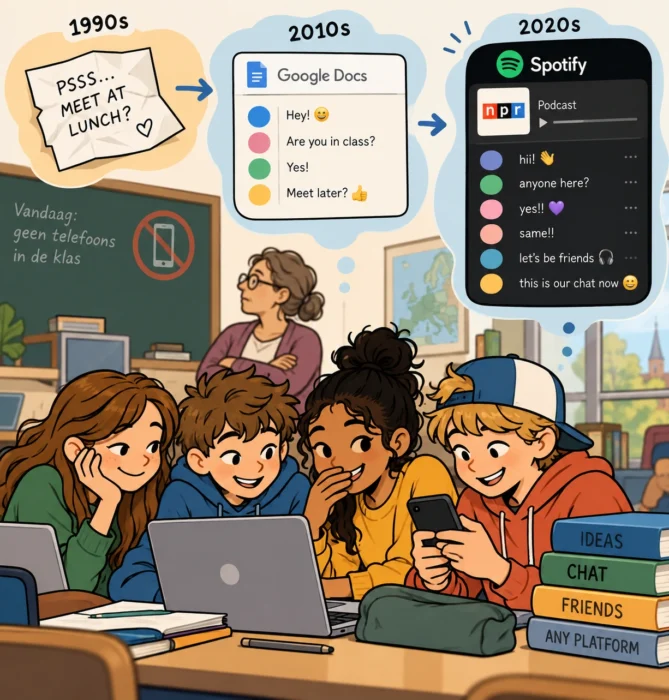
But there was one application that was rather difficult to ban. Google Docs. After all, students were supposed to use it for schoolwork. So some of them discovered that a shared Google document could quite easily become something else entirely. Instead of writing an assignment together, they could all type into the same document and use it as a chatroom. See here for more: https://www.kidssearch.com/what-parents-should-know-about-kids-using-google-docs-to-chat.php

From the outside, everything looked perfectly respectable. A group of students was working in Google Docs. Inside the document, however, the digital equivalent of passing notes underneath the desk was taking place. Sometimes they would even type their messages in white text on a white background — nobody would notice.

I remembered that French story when I came across a wonderful recent episode of “This American Life” (https://www.thisamericanlife.org/897/transcript). Because apparently the next generation has discovered another communications platform hiding in plain sight. Spotify.

They thought they were bots

The story starts at American public radio network NPR, where Dave Blanchard of the programme “Wild Card” noticed something strange happening in the comments underneath podcasts on Spotify. There were short messages, emojis, strange usernames and conversations that seemed to make very little sense. Bots, perhaps?

Except they weren’t bots. A younger NPR colleague, Hannah Chinn, looked at the comments and recognised something that reminded her of her own younger years online. Children sometimes use digital tools in ways that adults simply don’t recognise.

And that was exactly what was happening. The commenters were mostly kids. Some had parents who did not allow them to use regular social media. Spotify, however, was allowed. So they turned Spotify into social media. They created public playlists with names such as “Let’s chat here” or “New Chat“. They then added a podcast episode with very few existing comments and used the comment section underneath that episode as a group chat.

The fact that they ended up underneath NPR podcasts wasn’t entirely accidental either. Those podcasts didn’t attract enormous numbers of comments. In other words: plenty of empty space.

A very European discussion

I particularly like the story because it connects with a discussion that has become very familiar in Europe. What do we do with children, smartphones and social media? France has been experimenting with restrictions on phones in schools for years. Other European countries have moved in similar directions. In the Netherlands, for example, smartphones, tablets and smartwatches have effectively disappeared from many classrooms unless they are needed for educational purposes.

There are good reasons for these policies. Schools want fewer distractions and more direct interaction between students. Parents meanwhile increasingly worry about the amount of time children spend on social platforms.

But the French Google Docs story illustrates something that is easily forgotten in these discussions. You can remove the smartphone without removing the desire to communicate. And children can be remarkably creative in finding alternatives. If WhatsApp isn’t available but Google Docs is, then Google Docs can become WhatsApp. If Instagram or TikTok isn’t allowed but Spotify is, Spotify can become a social network. The technology changes. The behaviour really doesn’t.

From paper notes to Google Docs

Perhaps that is why this all feels so familiar. Long before smartphones existed, children were already running their own unofficial communication networks inside classrooms. We called them paper notes. You wrote something on a small piece of paper, folded it and somehow tried to get it three desks further without the teacher noticing. It was slow, unreliable and had terrible security. An intercepted note could become public knowledge remarkably quickly. But it worked. A shared Google Doc is essentially a much more sophisticated version of the same system. And the Spotify construction takes it another step further.

We see applications, they see possibilities

What fascinates me is not so much that children are circumventing rules. Parents and schools will have to decide for themselves what they think about that. It is the creativity involved. Adults tend to categorise technology according to its intended purpose. Google Docs is for writing documents. Spotify is for listening to music and podcasts. A podcast comment section is for discussing a podcast.

But those categories only exist because somebody designed the product that way and told us what it was for. Children don’t necessarily care. If five people can type simultaneously in a shared document, then technically that document is also a chatroom. If a Spotify feature allows people to find each other and leave messages, then apparently it can become a primitive social network.

There is a nice generational element in the This American Life story as well. The people at NPR obviously aren’t digitally illiterate. They work in digital media every day. Yet they initially couldn’t recognise what was happening. The messages didn’t fit their mental model of how people use Spotify, so they looked like bot activity.

A younger colleague recognised the pattern. And even that person partly understood it because of their own childhood experience of repurposing online tools. The interesting thing is that these digital generation gaps are becoming remarkably short. You don’t necessarily need a parent and a teenager anymore. Ten years can already be enough for two people to have grown up with very different versions of the internet.

The most human part of technology

We spend a lot of time discussing what technology does to children. And understandably so. We talk about screen time, social media, algorithms, addictive design and smartphones in schools. Europe in particular is increasingly asking questions about how much access children should have to these systems and what responsibilities schools, parents, platforms and governments have.

But stories like these provide a nice counterpoint. Occasionally we should also look at what children do with technology. They explore it. They combine features. They find loopholes. And sometimes they discover an entirely different product hidden inside an existing one. A French schoolchild sees Google Docs and discovers a chatroom. An American teenager sees Spotify and discovers a social network.

And somewhere in a European classroom today, I suspect children are already using some perfectly innocent piece of educational software in a way that its developers never imagined. We will probably discover how in a few years. By which time the children will have moved on to something else.

Linux Gets Really Interesting When You Try Something Different

For quite a while, my Linux experience was relatively conventional. Linux Mint is my daily operating system, and I like it a lot. It works, it stays out of the way and, for most things I do, it gives me exactly what I need. But Linux becomes much more interesting when you stop trying to make it behave like a conventional desktop operating system.

I recently came across two articles that approach this from rather different directions. One is Franklin Strube’s article about Omarchy (https://dev.to/fstrube/is-omarchy-any-good-3069), while the other is a post called The Third Way of Using Linux (https://hisvirusness.com/third-is-the-way#the-true-middle-ground). And, being me, reading about these things wasn’t quite enough. So I installed both Omarchy and TUIOS, one after the other, on the same laptop.

Both installations went remarkably smoothly. No disasters, no hours spent trying to convince Wi-Fi to work, no mysterious black screens. Install, reboot, start exploring. But installation isn’t really the interesting part. The interesting part is what happens afterwards.

Two very different ideas of what Linux can be

Omarchy is built around a very modern interpretation of the graphical Linux desktop. It is based on Arch Linux and makes extensive use of keyboard shortcuts and a tiling window manager. Windows arrange themselves neatly across the screen, the interface is deliberately minimal and there is a strong feeling that somebody has actually thought about how all the pieces should work together.

Franklin Strube describes Omarchy in his article as fast, focused and particularly suited to people who spend much of their day behind a keyboard. That matches my experience rather well. It is certainly not Linux Mint with a different wallpaper. It asks you to learn another way of interacting with your computer. But it is still very clearly a graphical computing environment.

And then there is the other direction. The author of The Third Way of Using Linux argues that we tend to think there are only two ways of working with a computer: the command line or a graphical interface. But there is something in between: the TUI, or Text User Interface.

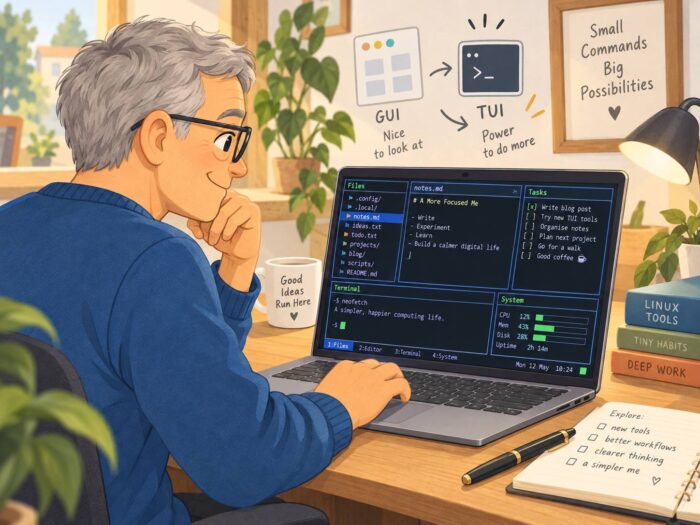
A TUI runs in a text environment but still gives you something resembling an interface. Menus, panels, lists, file managers and system monitors. Applications that you navigate instead of simply typing command after command. Anyone who has used things such as Midnight Commander, htop or one of the text-based Linux installers has already encountered this idea. The interesting question is what happens when you stop treating those applications as occasional tools and start treating the TUI itself as your primary computing environment. That is where TUIOS comes in (https://github.com/Gaurav-Gosain/tuios).

The third way

Using TUIOS is a rather strange experience at first. It isn’t quite “living in the terminal”, at least not in the way that expression is normally used. You don’t spend the entire day staring at a command prompt typing commands from memory. But neither are you sitting inside something like Cinnamon, GNOME or KDE. There is very little graphical overhead. Applications tend to be text-based. Everything feels stripped down, fast and strangely direct.

And in a way that changes the relationship you have with the computer. A normal desktop constantly invites you to do something else. There are browsers, tabs, notifications, videos, graphical applications and dozens of things competing for screen space. A TUI environment feels much more like a tool. You open something because you want to do something. And then you do it. I find that surprisingly appealing.

The original article describes the TUI as a genuine middle ground: more approachable than a pure command line, while avoiding much of the graphical infrastructure associated with traditional desktop environments. After actually using TUIOS, I understand what the author means.

Of course, there is a catch

There are some fairly obvious limitations. The moment your work becomes heavily graphical, things become considerably more complicated. Watching YouTube isn’t exactly the natural habitat of a TUI. Neither is modern gaming. Photo editing, video editing and other visually intensive tasks obviously make much more sense inside a traditional graphical environment.

The author of The Third Way acknowledges exactly this problem. Audio, video and graphics editing simply don’t fit particularly well into this model, and even modern web browsing becomes more constrained. So I don’t see TUIOS as some kind of universal replacement for Linux Mint. But that would be missing the point.

What interests me is that it demonstrates another possibility. Modern computing has become remarkably uniform. Windows, macOS, ChromeOS and most mainstream Linux desktops may look different, but the underlying idea is largely the same: windows, icons, menus, browser tabs, applications and a mouse-driven graphical desktop. Linux allows you to question that assumption. Omarchy does that while remaining firmly graphical. TUIOS goes much further.

It also reminded me of writerdecks

While experimenting with TUIOS, I kept thinking about something I have seen appearing here and there over the past few years: the writerdeck. A writerdeck is basically a computer deliberately designed around writing and very little else. Sometimes people build dedicated little machines with keyboards and small displays. Other times they take an old laptop and deliberately remove almost everything that might distract them.

Veronica Explains describes an interesting example here: https://veronicaexplains.net/my-first-writerdeck/. She turned an older Linux laptop into a writerdeck by installing Debian without a graphical desktop at all. It boots into a text console and uses tools such as Neovim, tmux and Syncthing for writing, navigating and synchronising files. The whole point is to create a computer that encourages writing instead of providing an endless collection of distractions.

There is something slightly absurd about taking a perfectly capable modern computer and deliberately making it capable of less. But perhaps that is exactly why the idea is so interesting. We normally measure progress by adding things. More applications. More graphics. More integrations. More notifications. More ways of doing things.

A writerdeck reverses that logic. Maybe a useful computer isn’t always the computer that can do the most. Perhaps sometimes it is the computer that makes it easiest to do the one thing you actually sat down to do. I will definitely return to writerdecks in a later blog post. If only because I’m planning to build one myself. There is an entire rabbit hole there that deserves a closer look.

Linux as an experiment again

That, in the end, is what I enjoyed most about installing Omarchy and TUIOS. Neither convinced me to immediately replace Linux Mint on my main machine. That wasn’t really the point. They reminded me that Linux doesn’t have to be an alternative version of Windows or macOS. It can be something genuinely different. You can build a sleek, keyboard-driven graphical environment like Omarchy. You can go almost entirely text-based with something like TUIOS. You can turn an old laptop into a distraction-free writerdeck. Or you can create something somewhere in between all of those. For me, there is no single correct desktop. And perhaps there doesn’t even have to be a desktop. For me, that freedom to experiment is still one of the most interesting things about Linux.

Sometimes the Best Stories Are About 15.000 Old VHS Tapes

I came across this wonderful story on Gizmodo (https://gizmodo.com/15000-vhs-tapes-and-counting-meet-the-guys-preserving-the-weirdest-parts-of-the-analog-era-2000816383) about two guys who have collected more than 15,000 VHS tapes. And yes, the VHS tapes are interesting. But that is not really why I liked the article so much. I liked it because it is such a good example of storytelling.

Nick Prueher and Joe Pickett have spent decades collecting strange VHS tapes. Not Hollywood movies or famous television programmes, but the stuff that normally disappears: training videos, exercise tapes, promotional videos, dating videos, instructional tapes and all kinds of productions made for very small audiences. They use material from it for the Found Footage Festival, a live comedy show they have been running for more than two decades. At the same time, they are slowly digitising their collection because, obviously, VHS tapes don’t last forever.

That in itself is already a nice story. But what makes the Gizmodo article work for me is that it doesn’t stop there. The story starts with something incredibly small. In 1991, Prueher was working at McDonald’s when he discovered a rather strange training video intended for janitors. He showed it to his friend Joe Pickett. The two started looking for more weird tapes in thrift stores, showing them to friends and providing their own commentary. A small and maybe even silly discovery eventually turned into a collection of thousands of tapes and a project that has lasted for decades.

I love stories like this. There is no huge announcement. No billion-dollar acquisition. No new AI model accompanied by another set of impressive benchmarks. No CEO explaining how his company is going to transform the world. Just two people, an old videotape and a fascination with something most other people would probably throw away.

There is obviously a technology angle to the story as well. VHS was important because video production gradually became accessible to many more people. You didn’t need to be a television station or Hollywood studio anymore. Small companies, organisations and individuals could make videos themselves. And they did. Lots of them. Some were professional, many were not. Today, that lack of polish is actually part of what makes the material interesting. These tapes capture a period in which people were experimenting with relatively affordable video technology without thinking that somebody might watch the result 30 or 40 years later.

But again, the technology isn’t really the story. The people are. Behind every one of those tapes is somebody who decided that a video needed to be made. Who made that strange instruction video? Why? Who appeared in it? Who watched it? And what happened to those people afterwards? Prueher and Pickett sometimes actually try to find the people appearing in their tapes. A forgotten VHS recording then suddenly becomes the starting point for another story.

Perhaps that is what I like most about articles like this. They remind me that journalism doesn’t always have to start with something that immediately appears important. Sometimes it can simply start with a question: What on earth is this? And then you keep asking questions. Who made it? Why did they make it? Who was it intended for? Why has somebody kept it for 35 years? What does it tell us about that period? Where are the people involved now? Before you know it, a story about somebody collecting old VHS tapes has become a story about technology, popular culture, preservation, creativity and ordinary people. That is quite a lot to get out of a dusty videotape.

There is another interesting aspect to the story. We are quite good at preserving things we already consider important. Famous films, books, newspapers, photographs, television programmes and official documents end up in archives, libraries and museums. Everyday culture is much easier to lose. A corporate training tape from 1987 probably wasn’t considered culturally important in 1987. Neither was an obscure exercise video or a homemade instructional tape aimed at a tiny group of people. Decades later, however, these things can tell us something about how people lived, worked, communicated and experimented with technology.

That makes a collection of 15,000 seemingly unimportant VHS tapes something else as well: an accidental archive. Material that nobody originally intended to preserve has survived because two people happened to find it interesting enough not to throw away. And now they are digitising it because the physical medium itself is slowly deteriorating.

For me, however, the biggest lesson from the Gizmodo article is still about storytelling. You could write an article about VHS. You could explain the technology, when it appeared, how it competed with Betamax, how the market developed and how DVDs eventually took over. Perfectly useful information.

Or you can find two people who have collected 15,000 strange VHS tapes and have spent decades watching them. Suddenly you have characters. You have history. You have strange discoveries. You have humour. You have a mission. And, perhaps most importantly, you have a reason to keep reading. That is why I enjoy these kinds of articles so much. They demonstrate something that is easy to forget when so much of the information we encounter every day comes in the form of press releases, research reports, corporate announcements and carefully prepared statements. Good stories don’t necessarily start with important subjects. Sometimes they simply start with two guys and 15,000 old VHS tapes.

Two New Journalism Ideas a Day, Courtesy of a Small Local LLM

I have been experimenting quite a bit lately with small tools, websites and AI projects. Not because I am trying to build the next big platform, but mostly because I enjoy finding out what is possible when you combine relatively simple technology with an idea.

One of those experiments is my little automated newsroom. I wrote about it earlier in “My laptop is running a tiny newsroom” (https://justme.website/content-creation/my-laptop-is-running-a-tiny-newsroom/). The basic idea is fairly straightforward. I built a setup that can create and maintain small, highly specialised news websites automatically. An open-source/open-weight LLM monitors a collection of sources about a particular niche subject. And I deliberately don’t limit those sources to English. They can be websites in Dutch, German, French, Swedish, Norwegian, Finnish, Italian or whatever language happens to be useful for that particular subject. The model decides which stories are new and relevant, writes a short news item based on a prompt I created, adds a link to the original source and publishes the result on a website.

At the moment, that newsroom is still very much a … well … internal operation. With “internal” meaning: it lives on my laptop. And yes, that includes the LLM. There are things I still want to improve, but as a proof of concept it works. I expect to be able to publish the first of these niche websites in a few weeks. So stay tuned.

Journalism could use more ideas

And once something like that works, an obvious question appears: what else could I do with this approach? I keep coming back to the world of journalism. There is certainly no shortage of journalism. But I think there is plenty of room for new ideas about how we do journalism. New tools. New services. New editorial products. New ways of presenting information. Small experiments that may never become businesses but could still turn into something useful. So I wondered whether I could use roughly the same LLM-plus-website approach to create a continuous stream of ideas for new journalistic products.

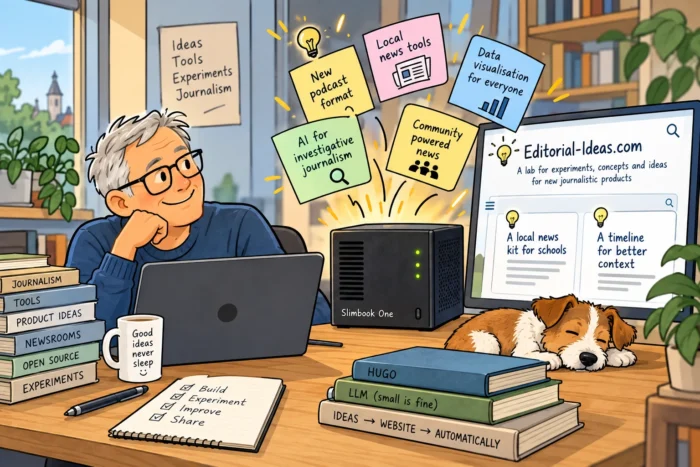
Once again, with a little vibe coding, building the first version wasn’t particularly difficult. I gave the LLM a fairly detailed description of what I wanted to achieve. In other words: my version of a product requirements document. I want ideas for new products, tools and services related to journalism and editorial work. For every idea, I want a short description explaining what it is and why it could be useful. And I want two of those ideas published every day. There was one additional requirement: I wanted to be able to add my own ideas as well. The result is Editorial-Ideas.com (https://editorial-ideas.com/).

This time, no WordPress

As with many of my proof-of-concept projects, the whole thing runs automatically. This time I didn’t use WordPress for the website itself. I decided to use a static site generator called Hugo (https://gohugo.io/). I will probably write another post about static site generators and Hugo at some point, because that turned out to be an interesting subject in itself.

Hugo runs on my little Slimbook Zero server (https://slimbook.com/en/zero), which I have mentioned here on Just Me before. It isn’t an enormously powerful server. Quite the opposite. But that is exactly why I like it. It has become the foundation for quite a few of my experiments.

Both the LLM and Hugo run locally on that machine. The LLM creates the ideas and content. Hugo turns that content into the actual website. A script then uploads the generated site via FTP to an external hosting provider. And that’s basically it.

Twice a day, the machine goes to work and a new idea appears on the website. I can also join the process myself. If I come across an interesting idea somewhere, or think of something myself, I can simply create a Markdown file and add it to the stream of ideas. So although the website is largely automated, I am not locked out of my own newsroom. Which seems useful.

But which LLM?

One part of this project turned out to be particularly interesting: choosing the LLM. Which model do you use for something like this? How large should it be? What can my little server actually handle? Is Llama better than Qwen for this? Would a Mistral model produce better ideas? How do I run these models locally? And how small can I go before the quality becomes noticeably worse?

Figuring that out was actually a significant part of the fun. I tried different models and sizes. And the conclusion was perhaps less exciting than I expected. For this particular project, it doesn’t matter that much. Mistral doesn’t magically write much better ideas than Qwen. Llama doesn’t suddenly transform the project either. There are differences between models, obviously, but they turned out to be much less important for this use case than choosing an appropriately sized model and giving it good instructions.

And “appropriately sized” in my case means relatively small. The model I eventually settled on is literally only a few gigabytes. That is partly dictated by the hardware. My little server has limits. A local LLM, even a relatively small one, can still make it work pretty hard. But here is the important part: I don’t care. The model only needs to do this twice a day. If generating an idea, writing the text and rebuilding the website takes a little longer, nothing happens. Nobody is sitting in front of Editorial-Ideas.com with a stopwatch waiting for the next idea to appear. There is absolutely no reason for this particular application to be lightning fast.

Maybe the small model is the right model

For me, that was another confirmation of something I have believed for some time: choose the LLM that fits the project. That sounds obvious, but the AI world has a strange fascination with the latest and greatest. Bigger models. More parameters. Bigger servers. More GPUs. More everything. And yes, putting an enormous model on a ridiculously powerful machine or cluster of machines looks impressive. But does your use case actually need it?

For this PoC, the answer is obviously no. A small local model running twice a day is perfectly capable of doing the job I need it to do. Using something dramatically bigger would mostly mean spending more money and consuming more computing resources without necessarily producing a significantly more useful website. For homelabs and small experiments in a business setting, that is important. You do not need to buy a ridiculously expensive new Mac Mini. Existing or older hardware will often work perfectly well.

I think the same considerations apply to professional AI projects within companies and government organisations. Start with the use case. What exactly are you trying to achieve? How good does the output need to be? How fast does it need to be? What hardware do you already have? What are your privacy or data requirements? I mean, we want Privacy by Design! And then choose a model. The latest and greatest isn’t automatically the best choice. Sometimes a model of a few gigabytes quietly running on a small server is all you need.

Anyway, here it is

The result of all this tinkering is Editorial-Ideas.com (https://editorial-ideas.com/). There are still a few small things I want to change. There probably always will be. That is part of running these kinds of projects. But the basic idea works. Twice a day, a new idea appears for a journalistic tool, service or product. Have a look. Maybe there is an idea there that makes you think: Hmm, I could do something with that. Maybe there isn’t. That’s fine too. But if you do find something interesting and decide to build on it, I hope it turns into something successful. More importantly, I hope it turns into something that is fun to work on. And if you actually start working on one of the ideas, do let me know. I would genuinely like to hear what happened to it.

Oh, and by the way: if you check the filename of the cartoon (editorial-ideas.png-shrunk.webp), you’ll notice the word “shrunk” in there. That’s because I’m still using my fully automated service to resize images in my Downloads directory. And that’s the beauty of automation: once it works, you can simply forget about it. It quietly does its job in the background without you having to think about it. You can read about this here: https://justme.website/content-creation/my-downloads-folder-now-resizes-photos-for-me/.

For Me Spotify isn’t the Future of Music

I have written before on Just Me about my doubts concerning music streaming. Not because streaming is inherently bad. Having almost every piece of recorded music available within seconds is still quite remarkable. But I increasingly wonder whether unlimited access has also made listening a little too easy, too passive and too dependent on algorithms.

That is probably why I keep looking for other ways to listen to music. Sometimes that means trying new services and apps. Sometimes it means internet radio. And sometimes I simply go backwards and put on a vinyl record or even a cassette. Less convenient perhaps, but also a very different way of listening.

So I was immediately interested when I came across an essay by Amaya Lim on Pigeons & Planes about possible alternative futures for music streaming. Rather than proposing one giant Spotify replacement, the article points to a surprisingly diverse collection of smaller services, communities and even dedicated hardware. See here for the article: https://www.pigeonsandplanes.com/read/alternative-futures-of-music-streaming-essay.

Cantilever: streaming with an editor

One of the most interesting examples is Cantilever (https://www.cantilever-music.com/). You could roughly describe it as a Mubi for music. Instead of offering millions of tracks and letting an algorithm decide what you should hear next, Cantilever presents a much smaller, rotating catalogue selected by humans. The service works directly with independent labels and combines music with editorial context. The idea is that music should be in the foreground again, rather than becoming background noise generated by an endless recommendation system.

I like that idea. Unlimited choice sounds wonderful, but it can also mean that choosing becomes meaningless.

tone: deliberately algorithm-free

Then there is tone, a streaming service being developed by the non-profit organisation sone. It describes itself as artist-built, customisable, AI-free and algorithm-free. You can find it here: https://tone.audio/.

tone was still in an invite-only alpha phase when this article was posted to Just Me, so this is very much an experiment rather than a finished Spotify competitor. But the underlying idea is interesting: create a streaming platform around the needs of artists and listeners rather than around recommendation algorithms and advertising.

Both tone and Cantilever are also experimenting with user-centric payments. In simple terms, your subscription money is distributed according to what you listen to instead of disappearing into one enormous pool based on everybody’s streams.

Mirlo: buy the music again

Mirlo takes another route altogether. It is an open-source platform where artists can sell music directly. See here: https://mirlo.space/. That may sound almost old-fashioned. And perhaps that is exactly the point.

Instead of paying every month for temporary access to an enormous catalogue, you can actually buy music again. That creates a much more direct relationship between musician and listener and also means that your music collection can once again become something you actually own.

Subvert: a cooperative Bandcamp alternative

A similar idea sits behind Subvert. The project presents itself as an alternative to Bandcamp (https://bandcamp.com/), but with an important difference: it is collectively owned and governed by artists, labels and listeners. See here: https://www.subvert.fm/.

Fans can become members and participate in decisions about the platform. Artists started creating pages before the public launch in May 2026. In other words, this is not simply another online shop for music. It is also an experiment in what happens when the people using a platform have some actual influence over how it develops.

turntable: music as a social space

The author of the Pigeons & Planes article is herself building turntable. It started as a way to analyse and visualise playlists, but gradually evolved into something that combines several ideas: a music community, a discovery service, a library-unification tool and a place for sharing curated music. You can apply here: https://turntable.fyi/auth/application.

The description I particularly like is wonderfully simple: a place online just for music. That sounds almost trivial. But compare it with today’s giant platforms, which increasingly want to become your destination for music, podcasts, audiobooks, video, advertising, social features and whatever comes next. A small place that is simply about music suddenly sounds rather refreshing.

Evenings.FM: rethinking internet radio

Evenings.FM (https://evenings.fm/) immediately caught my attention because of my interest in internet radio. It combines software with a hardware device called Sol. Sol can broadcast live audio so that, in principle, almost any location can become a radio station. The Evenings website then provides the infrastructure for scheduling, archiving and streaming those broadcasts.

More importantly, the whole thing revolves around human curation: radio stations select hosts, hosts select artists and music, and listeners discover things through people rather than through behavioural profiling. That is much closer to the way I like discovering music anyway: somebody plays something unexpected and I think, what on earth is this?

Sleevenote: making digital music physical again

Perhaps the strangest—and therefore one of the more interesting—ideas in the article is Sleevenote (https://sleevenote.com/). This is not another streaming platform at all. It is a dedicated digital music player with a square touchscreen designed to put album artwork back at the centre of the experience. Think of something somewhere between an old iPod and a digital record sleeve.

As far as I can tell (I haven’t tried Sleevnote yet) the idea would probably work particularly well together with services such as Bandcamp, Mirlo or Subvert. You buy music, put it on your own player and deliberately listen to albums again instead of endlessly skipping through an unlimited catalogue.

And yes, that sounds suspiciously like reinventing the Walkman. Which may not be such a bad thing.

Maybe there shouldn’t be one Spotify replacement

The most interesting conclusion from all these projects is that as far as I can tell none of them really wants to become the new Spotify. Streaming has conditioned us to expect one enormous service containing everything. But music did not work that way in the past. We had record shops, radio stations, magazines, mixtapes, friends recommending obscure bands, concerts, record collections and people lending each other albums. It was fragmented. Sometimes inconvenient. And often much more interesting.

Services such as Cantilever, tone, Mirlo, Subvert, turntable and Evenings seem to be experimenting with precisely that idea: not replacing one giant music ecosystem with another giant music ecosystem, but creating lots of smaller ones. And perhaps I will simply combine them with vinyl, cassettes and internet radio. That sounds considerably more fun than pressing Discover Weekly and hoping for the best.

Maybe a Text Editor Is All I Need

I still like text editors. That may sound slightly old-fashioned in a world where every piece of software seems to be turning into a platform, a workspace or — inevitably — something with AI built into it. But I use text editors almost every day. Sublime Text is one of my favourites, and I also regularly use KWrite on Linux.

The reason is remarkably simple: they are fast. Click the icon and the editor is there. Start typing. Save the file. Done. There are no hundreds of functions waiting somewhere in a ribbon or menu that I will probably never use. No elaborate document management. No templates I don’t need. Just an empty screen and text.

And that makes me wonder occasionally: why would I buy something like Microsoft 365 if most of what I want to do is simply write text?

Of course, there are plenty of situations where a full office suite makes sense. But for much of my own writing, a text editor is perfectly adequate. Often it is actually nicer to work with because there is so little getting in the way. I also use text editors for the projects where I build my own small tools. Configuration files, Markdown, bits of code, notes, documentation — a simple editor is often exactly what I need.

And when I do need more traditional office functionality, I already have alternatives. I have been using Nextcloud (https://nextcloud.com/) for years, and it comes with office functionality as well. For spreadsheets I use LibreOffice (https://www.libreoffice.org/), which — if I am being fair — already contains far more functions than I will probably ever need.

So perhaps there is a small experiment worth trying here. Before subscribing to yet another large software package, open the text editor that is already available on your operating system. KWrite(https://apps.kde.org/kwrite/), Kate (https://kate-editor.org/), Notepad (on Windows), TextEdit (on Mac), or whatever happens to be there. Then use it for a few days. Just write.

You may discover that software doesn’t always become more useful when it gets more features. Sometimes the nice thing about a tool is precisely that it doesn’t try to do everything.

Taiwan’s Hunt for China’s Hidden Chip Operations

Taiwan has spent the past six years hunting something that sounds almost like the plot of a spy novel: Chinese technology companies allegedly operating undercover on the island. According to an article over at Rest of World (see here: https://restofworld.org/2026/taiwan-china-chip-investigations), Taiwanese authorities have investigated 166 cases involving companies suspected of hiding their Chinese connections while recruiting engineers and gaining access to semiconductor expertise.

One engineer thought he was working for an American chip company, only to discover that most of his colleagues and meetings were actually based in Nanjing, China. And this matters because Taiwan is not just another place where chips are made: it produces more than 60% of the world’s semiconductors and around 90% of the most advanced ones.

The methods described in the article are often surprisingly simple, with Chinese companies allegedly using local firms, foreign registrations or other structures to disguise who is really behind an operation. Sometimes the goal appears to be access to technology, but very often it is also about something equally valuable: the people who know how to design and manufacture advanced chips.

Salaries offered by Chinese companies have reportedly reached several times normal Taiwanese levels, which makes talent poaching a very real problem rather than an abstract geopolitical discussion. Taiwan has responded with raids, tougher legislation and increasingly strict protection of technologies it considers essential to national security.

What makes the story particularly interesting is that the dividing line between normal international recruitment, illegal investment and actual industrial espionage can sometimes be surprisingly difficult to define. It is another reminder that the global chip battle is not only being fought with new fabs, export controls and billions in subsidies, but also quietly in offices, job interviews and employment contracts.