My Laptop Is Running a Tiny Newsroom

A little while ago, I wrote a post about something that has been on my mind for some time: there seems to be remarkably little product development in journalism. We produce articles. Newsletters. Podcasts. Videos. And then more articles. At journalism school, we train students, ask them to come up with ideas for new journalistic projects and products, and then… do nothing with those ideas. That sounds like a waste to me.

You can find my blog post here: https://justme.website/content-creation/journalism-has-plenty-of-ideas-so-why-do-we-keep-throwing-them-away/.

Considering how dramatically technology has changed the way information can be collected, processed and distributed, you would expect a lot more experimentation with the product itself. New ways of finding information. New ways of combining it. New ways of presenting it. New products for audiences that are currently too small or too specialised to be interesting to traditional publishers.

So instead of just writing about the lack of product development, I decided to try something myself. My idea: automated news websites for very small niches.

A tiny automated newsroom

The concept is fairly simple. Take a very specific subject. Find as many relevant sources as you can about this subject. Have an open source/open weight LLM periodically check those sources, select interesting developments, retrieve the relevant information and have the LLM write a short news article about each development or topic. Add a link to the original source and automatically publish the article on a website. Depending on how small the niche is you can repeat this whole process once of twice per day. The result is effectively a tiny automated newsroom covering a specific subject that might otherwise never have its own publication.

I am deliberately talking about tiny niches here. Not “technology”. Not “AI”. Not “cybersecurity”. Those are enormous subjects. Think of one particular technology, protocol, type of hardware, industrial technology or some other narrow field. A subject where interesting things are happening, but where there probably isn’t enough money or readership to justify having a journalist watching it every day. Creating an automated system changes the economics of something like that dramatically.

Two hours later…

So I decided to build one. This is where things became interesting. Using vibe coding, it took me roughly two hours to get my first proof of concept working. Not finished, obviously. Not polished. And certainly not something I would immediately turn into a commercial product. But it worked. The system could find material, determine whether it was relevant, create a short news item, include the original source and publish the result on a website.

There were surprisingly few technical problems. That doesn’t mean everything worked perfectly from the start. But most technical issues could be solved fairly quickly. Which is perhaps lesson number one from this experiment. The technology isn’t necessarily the difficult part anymore.

First decide what you are actually building

Before I started vibe coding, I first had to decide what I wanted. That sounds obvious, but I think it is becoming increasingly important. You can tell an AI coding tool to “build me an automated news website” and it will probably produce something. But there is a fairly good chance that the result isn’t what you had in mind. So I wrote a product requirements document. Nothing fancy. What should the system do? Where should it look for information? What constitutes an interesting article? What should the resulting news item contain? What shouldn’t it contain? What happens after an item has been created? How should it be published? But also: how do you prevent the LLM from picking the same topic twice when it found that topic on two different websites? Or in two or three different languages?

So yes, you have to think these things through. Because if you forget to mention something, there is a good chance it won’t magically appear as a feature in your product. And that is where the interesting shift is taking place: the coding is becoming the easy part. The thinking isn’t. You still have to decide what you are actually trying to build, what it should do, what it shouldn’t do, and why anyone would find it useful. Vibe coding can turn those decisions into working software remarkably quickly, but it can’t make those decisions for you.

Once the first version appears on your screen, it becomes much easier to think. You immediately notice what is missing, what is unnecessary or overkill, and what seemed like a good idea on paper but doesn’t make much sense in an actual product. So coding and thinking increasingly form a loop: think, build, look, rethink, rebuild.

Finding the right information

In other words, building the website itself wasn’t the part that required most of the tinkering. Finding good source material was. If you use sources that are too broad, your carefully selected niche quickly fills up with vaguely related news. If your selection criteria are too restrictive, nothing much happens at all. And if your sources aren’t particularly good, neither is your automated publication.

So I spent quite a bit of time playing with sources and selection rules. Again, this wasn’t particularly difficult from a technical perspective. It simply required experimentation. What exactly is relevant? What should be ignored? Which sources consistently produce useful information? How narrow should the niche actually be?

Those aren’t really programming questions. They are editorial and product questions.

The internet isn’t English

One thing I knew from the start was that I didn’t want to build yet another system that mainly watches American and English-language websites. There is far too much interesting information being published elsewhere. So my source lists contain English sources, but also German, French, Swedish, Norwegian, Finnish, Danish, Italian, Spanish and sources from several other language areas.

A German engineering company may publish something interesting in German. A Finnish developer might explain a new project in Finnish. A French research organisation may announce something in French. An Italian technology website might cover something that never makes it into the American tech press. Why ignore all of that?

Especially in Europe, where we are constantly talking about digital autonomy and becoming less dependent on technology from the United States and China, I think this matters. If we want to understand what is happening technologically in Europe, perhaps we should become better at looking around Europe ourselves.

The nice thing is that an LLM doesn’t particularly care. German in, English out. Finnish in, Spanish out. Italian in, Greek out. You decide. My automated website happens to publish in English because that makes the information accessible to the widest possible audience. But that’s simply my choice. The exact same system could publish in Dutch. Or Portuguese. Or maybe several languages at once. But the sources I use are very diverse and come in many different languages.

For now, it all runs on my laptop

Perhaps one of the more surprising lessons from this experiment is how little hardware you actually need to get started. My automated newsroom, including the open source/open weight LLM, currently runs on a fairly bread-and-butter laptop. No powerful discrete GPU, just integrated graphics. As a result, most of the heavy lifting is done by the CPU. And you can hear when the LLM gets to work. Ask it to process a batch of material and the fan quickly picks up speed. Sometimes considerably. My laptop really has to work for its living here.

And yes, that means that everything is rather slow as a result, but for now that is perfectly fine. I am experimenting, not trying to run a real-time news service. More importantly, it shows that you apparently don’t need a huge server park or a rack full of GPUs to start experimenting with ideas like this. A perfectly ordinary laptop can run a local LLM, support the software around it and give you enough computing power to find out whether an idea actually works.

There is also a practical reason why I keep everything local for now. I want to be able to tinker with the system wherever I happen to be. If I am travelling and suddenly think of something I want to change, I can open my laptop, make the change and see what happens. I don’t need access to my home server or a cloud environment.

Once I am reasonably happy with everything, I will move the system to a small server I already have available. That machine has considerably more capacity, so things should become faster. But for now, I rather like the fact that my tiny automated newsroom lives entirely inside an ordinary laptop.

Technology isn’t the point

And that, I think, is the most important lesson I got from this experiment. We tend to spend an enormous amount of time talking about technology. Which model did you use? Which programming language? Which database? Where does it run? Which framework?

Those questions aren’t irrelevant. But increasingly they aren’t the most interesting questions either. The technology usually works. And if a tool we need doesn’t exist, well, we can build it. Especially with vibe coding, the distance between “I wish there was a little tool that did X” and actually having that little tool that does X has become remarkably small.

That changes things. Because the bottleneck starts moving somewhere else: What are we actually going to build?

Coming up with good ideas is much harder. Thinking them through. Combining existing ideas in new ways. Turning a vague thought into something that people might actually find interesting or useful. That is product development. And that was exactly what I was trying to get at in my earlier post about journalism and the student teams working on new ideas (https://justme.website/content-creation/journalism-has-plenty-of-ideas-so-why-do-we-keep-throwing-them-away/).

Ideas don’t have to be finished

An idea for a new product doesn’t have to be completely worked out before you show it to somebody. In fact, perhaps it shouldn’t be. Someone comes up with an idea. It is interesting, but not quite right yet. Someone else looks at it and thinks: Hmm. I wouldn’t do it like that, but what if… And suddenly there is another idea. A third person sees that version and takes it in yet another direction.

That is how ideas develop. Not necessarily because one person sits behind a desk for six months and eventually emerges with The Perfect Product, but because people see things, react to them, combine them with their own experiences and take them somewhere else. Which is why I think we should be much more willing to show unfinished experiments.

Is this the final product?

So is my automated niche website the answer to product development in journalism? Of course not. It probably isn’t even the final version of this particular idea. Maybe automated niche websites turn out to be genuinely useful. Maybe they need a human editor. Maybe they work better as newsletters. Maybe they should become research tools rather than public websites. Maybe they should combine automated news with original reporting. Maybe somebody comes up with a completely different application after seeing mine.

I don’t know. And that’s fine. Because I am going to put everything I have built on Just Me. The idea. The setup. What worked. What didn’t. The tools I created. And, where possible, the code and other bits needed to build something similar. Then other people can have a look. And if somebody thinks, Hey, that’s interesting. I could use this to build…, please do. Take what I made and build something better on top of it. Or turn it into something completely different.

Naturally, I would love to hear about it if you do. Not because I want to control what happens to the idea, but because I am genuinely curious to see where somebody else might take it.

In my previous post (https://justme.website/content-creation/journalism-has-plenty-of-ideas-so-why-do-we-keep-throwing-them-away/)), I discussed project ideas developed by student teams. I suggested that it might be interesting to collect all those ideas and publish them on a website. No, not every one of those ideas will turn into a company. Not every idea will even be particularly good. Some will be unfinished. Some won’t quite fit the problem they were originally intended to solve. And some may have obvious flaws.

So what? Put them online. Let people see them. It might inspire people to start building something themselves or take the idea in an entirely new direction. The important thing isn’t that every idea succeeds. The important thing is that we keep producing ideas, showing them, discussing them, building them and allowing other people to take them further.
Interesting Project: I Built a writerdeck

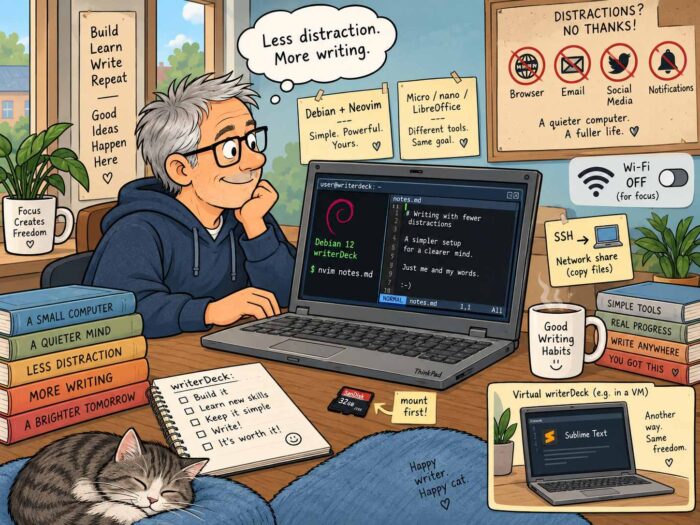
A writerdeck is one of those ideas that sounds almost too simple. Take a computer. Strip away almost everything that normally happens on a computer. Keep the tools you need to write. And then use it for exactly that: writing. No browser. No email. No social media. Preferably no notifications. Maybe not even a graphical desktop.

That is roughly the idea behind writerdeck.org (https://www.writerdeck.org/), a site dedicated to devices and setups designed specifically for writing. Some are commercial products. Others are built around Raspberry Pis, old laptops or custom keyboards and displays. Quite a few are wonderfully homemade. What they all have in common is that they try to create a computer that is primarily a writing machine.

Why build a writerdeck?

Most computers are general-purpose machines. That is obviously useful. The same laptop can be used for writing, browsing, email, video calls, research, watching videos, messaging and hundreds of other things. But that is also exactly what can make writing difficult. While working on an article, there is always something else available. Another website. Another message. Another email. Another notification. A writerdeck changes that. Instead of constantly asking yourself not to be distracted, you simply remove many of the distractions.

There is also another reason why I like the idea. It is fun to build one.

Starting with Debian

I came across this very useful article by Veronica Explained (https://veronicaexplains.net/my-first-writerdeck/) about building a writerDeck using Debian and Neovim. Her setup gave me a good starting point.

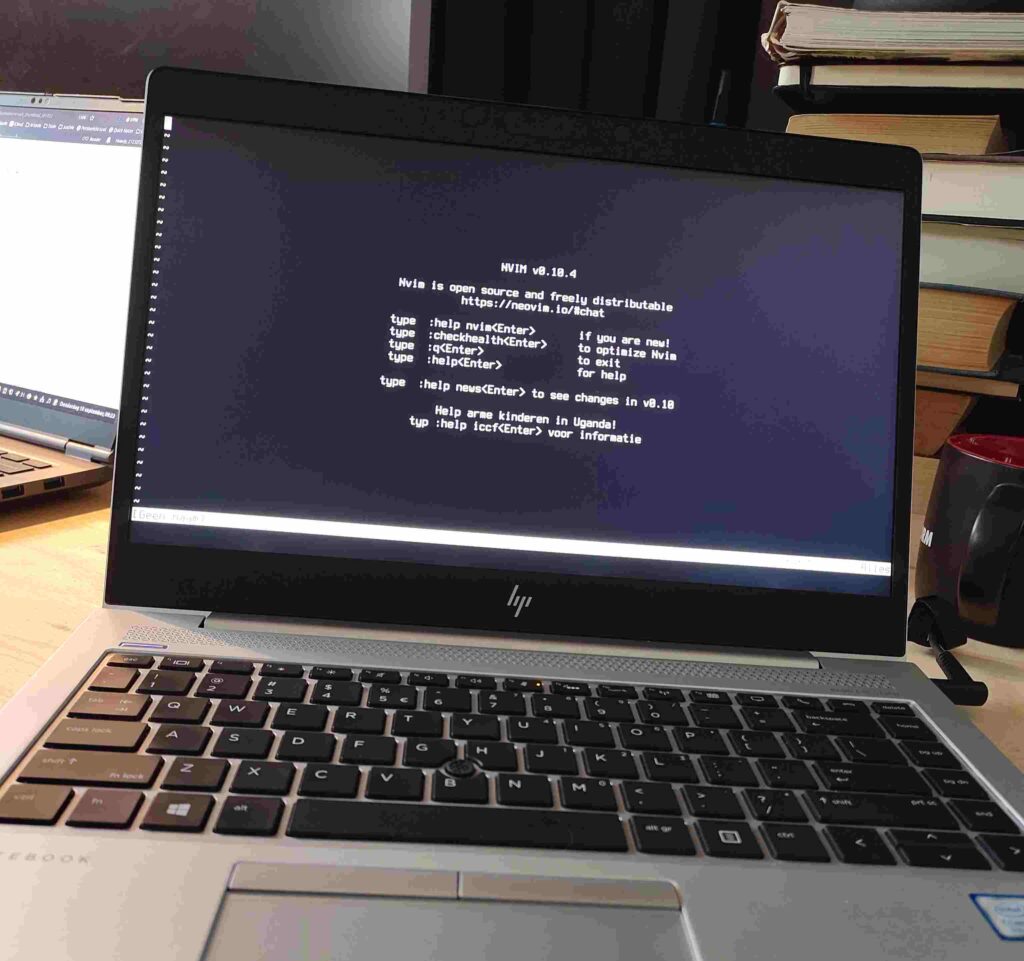
So I downloaded the latest Debian installer and installed it on an older HP EliteBook I had lying around. Debian’s installation process is very straightforward, and Veronica’s article provides some useful additional guidance if you’ve never installed a bare-bones Linux system before.

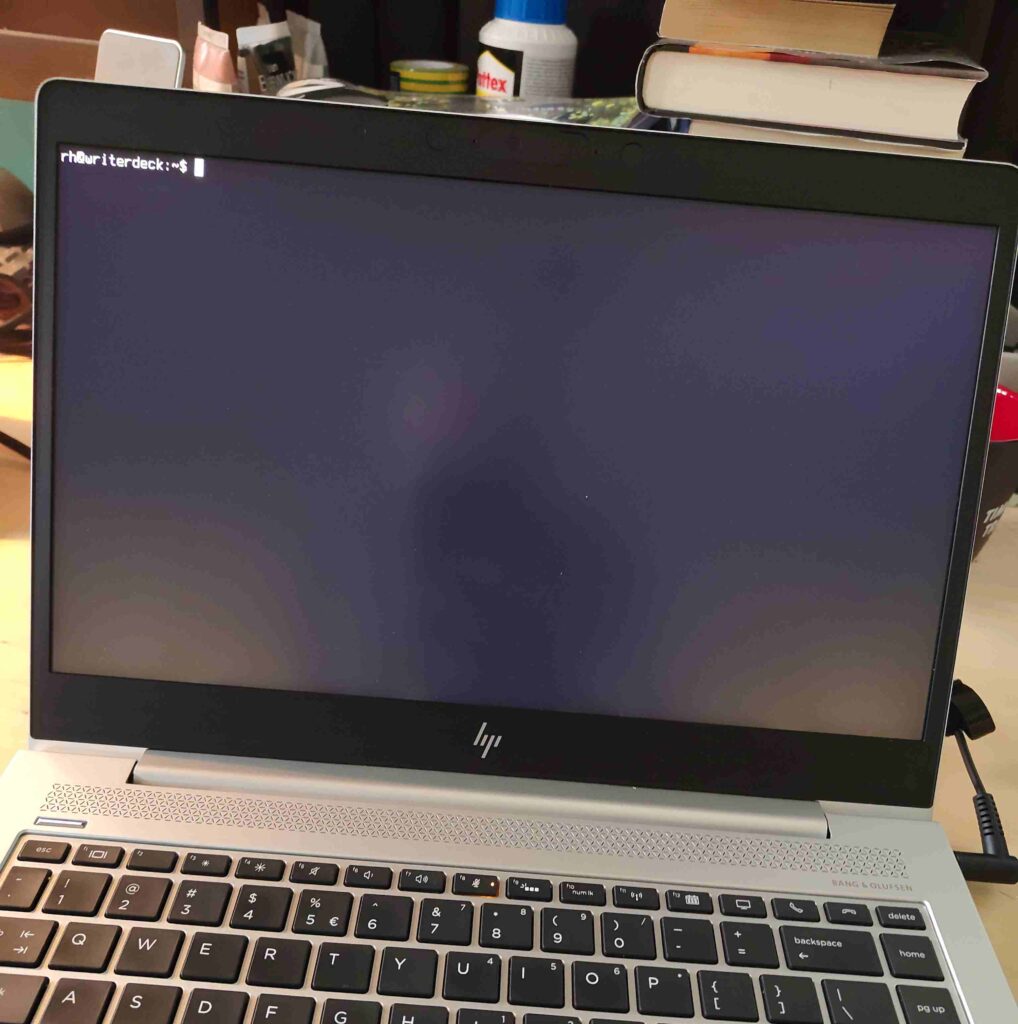
After installation and rebooting, you end up with something that feels wonderfully different from a normal computer. All you see is a terminal prompt. That is basically it. No desktop environment. No icons. No dock. No notifications. Just a prompt waiting for you. There is something quite satisfying about that.

Neovim

I want to write, so I need a text editor. My first editor was Neovim (https://neovim.io/). Installing it is easy. Learning to use it takes a bit more time. Well … a lot more time. Neovim works differently from editors such as Sublime Text, Notepad or TextEdit. It uses different modes, and some of its commands initially look rather cryptic. :w, for example, saves a file. At the same time, other commands are surprisingly readable (you guess what :saveas does).

Once you start understanding how Neovim works, though, it becomes clear why so many people like it. It is fast, powerful and very well suited to a keyboard-driven setup. There is definitely a learning curve. But that is not necessarily a disadvantage. For me, learning how Neovim works was part of the fun of building the writerdeck in the first place. I wasn’t only building a writing machine. I was learning a different way of interacting with a computer.

There are easier editors

You don’t have to use Neovim. If you like the idea of a terminal-based writerdeck but don’t want to spend quite as much time learning your editor, Micro (https://github.com/micro-editor/micro) is an interesting alternative. Micro will probably feel much more familiar to people coming from conventional text editors. It supports standard shortcuts such as Ctrl-S, Ctrl-C and Ctrl-V, and even supports mouse input.

Nano is another option and is often already available on Linux installations. It is simpler and more limited, but for writing plain text that may be all you need. You could also try Emacs (https://emacsdocs.org/docs/emacs/The-Emacs-Editor). Or Joe (https://joe-editor.sourceforge.io/), which has something of a WordStar feel. Yes, WordStar. Some people reading this may even remember it.

The important thing is that there is no single correct editor for a writerdeck. The whole point is to create something that works for you.

Getting your writing off the machine

Once I had the writerdeck working, another interesting question appeared: How do I get my text off it?

My first solution was a good old memory card. Insert it into a normal desktop computer and something usually pops up automatically. On a bare Debian/Linux system, nothing happens. You have to mount it yourself. That sounds more complicated than it actually is. It does mean using a few Linux commands that many people may never have encountered before, but after doing it a few times the logic quickly becomes clear.

The same applies to transferring files over a network. Yes, you need either a Wi-Fi or wired network connection. You can make sure one is configured during the Debian installation, or set it up afterwards using a tool such as nmtui. SSH can be used to move individual files or complete directories from your writedeck to another Linux system or a Macs. If you want to work with Windows computers, Samba is another option. You can even permanently mount a network drive and make it part of your normal directory structure.

A little help from AI

Again, none of this is particularly difficult. It is simply a little different from what most desktop users are used to. And that is exactly why I enjoyed it. You start discovering how things actually work underneath the graphical interface we normally take for granted.

There is a slightly amusing part to all this. Your writerdeck itself may not have AI. But another machine certainly can. If you don’t know how to mount a drive, use SSH or connect to a network share, an AI tool such as Claude or Mistral can explain the steps very quickly. That makes experimenting with this kind of setup much easier than it would have been a few years ago. The writerdeck remains simple. But learning how to build and configure it has become much easier.

Tiny text on modern screens

One small thing surprised me. Modern laptops (even my older Elitebook) have relatively high-resolution displays. That looks great in a graphical desktop environment. On a bare Linux console, however, the default text can suddenly look very small. Fortunately, that is easy to fix. With tools such as console-setup, you can change the console font and, more importantly, the font size. It is a small adjustment, but an important one if you plan to spend a lot of time writing.

After that, my basic writerdeck was essentially finished: Debian plus Neovim plus a keyboard plus a screen. Very little else. And it worked as intended: no distractions, just writing.

The limitations are part of the idea

There are, of course, things a writerdeck cannot do. That is not really a surprise. It is largely the point. If you don’t have a browser, you cannot quickly check a website while writing. If the machine is offline, you cannot search for a number, check a report or look up a quote. You also cannot use cloud-based AI tools for proofreading, rewriting or research.

For some writers, those limitations will be inconvenient. For others, they are exactly what makes the writerdeck useful. Because they create a very clear separation between writing and everything else. If you need research, you use another machine. If you need to check something online, you do that elsewhere. Then you return to the writerdeck and continue writing. That creates a very different working rhythm.

You can also compromise

A writerdeck does not have to be completely disconnected. You could install Syncthing (https://syncthing.net/) and automatically synchronise your writing with another computer. You could use a network share. You could connect the machine to the network only when you need to transfer files.

There are plenty of possibilities. You can decide for yourself where you want to draw the line. That flexibility is one of the things I like about the concept.

Or build a graphical writerdeck

There is also nothing stopping you from taking a completely different approach. Install Debian with GNOME, KDE, Cinnamon or XFCE. Install LibreOffice. Then switch Wi-Fi off. You still have a perfectly capable computer, but without the constant stream of online distractions. When you need to do some research, switch Wi-Fi back on. Find what you need. Then switch it off again.

That may sound less pure than running a bare Debian console, but purity is hardly the point. The point is focus. And if LibreOffice on a disconnected laptop gives you that focus, then that is a perfectly good writerdeck.

What exactly causes the distraction?

Building my writerdeck also made me think more carefully about what actually distracts me when I write. It isn’t necessarily the internet itself. Often it is notifications. An email arriving is not much of a problem if I don’t know it arrived. The same applies to Signal or WhatsApp.

The real interruption is the popup appearing in the corner of the screen while I’m halfway through a paragraph. Websites do the same thing. Calendars do it. Apps do it. Modern computers are very good at constantly asking for our attention. A writerdeck solves that problem in a very direct way. Those things simply aren’t there.

My virtual writerdeck

Interestingly, my experiment also changed the way I use my normal work laptop. That machine is obviously connected to the internet. But I now keep notifications switched off.

I also use several desktops, or workspaces. One is my normal working environment. It has email, browser windows and all the usual tools. Another workspace contains almost nothing. Just Sublime Text (https://www.sublimetext.com/). When I switch to that workspace, it feels different. The browser still exists, but somewhere else. Email still exists. The internet is still connected. But none of it is directly in front of me.

That separate environment (it is actually workspace #4 on my laptop) has effectively become a kind of virtual writerdeck. And it works surprisingly well. I can move between two very different environments on the same physical laptop. One is connected and full of tools. The other is deliberately simple and focused almost entirely on writing. For now, that combination works extremely well for me.

I am still glad I built the real one

That does not make the physical writerdeck pointless. Quite the opposite. I am very glad I built it. It works. It gives me a very focused writing environment.

And perhaps even more importantly, I learned a lot while building it. I learned more about Debian. I learned how terminal-only systems behave. I learned more about mounting drives, networking and moving files between machines. I learned enough Neovim to understand why people enjoy using it. And I started thinking much more carefully about what kind of working environment actually helps me write. That alone made the experiment valuable.

There is no single writerdeck

The more I think about writerdecks, the more I like the fact that there is no one correct implementation. Maybe yours is Debian and Neovim. Maybe it is Debian and Micro. Maybe it is an old ThinkPad running LibreOffice with Wi-Fi switched off. If you have a really old 486 desktop machine lying around somewhere, why not build a writerdeck based on FreeDOS (an open-source version of MS-DOS, https://freedos.org/) and a text editor? Or maybe it is a Raspberry Pi attached to a mechanical keyboard. It could even be a dedicated commercial device. All of those approaches can work. The interesting part is figuring out which one works for you.

As usual, my experiment is n=1 research. My setup works for me. Yours may be completely different. And that is exactly what I like about this kind of thing. I see experimenting with apps, operating systems, hardware and workflows as a hobby in itself. You can keep changing your working environment until it fits the way you work. And when your requirements change? You simply change it again.

So Now We’re Writing Books in Public Too?

I mentioned the phrase building in public in a blog post recently. The idea is quite simple. Somebody is building a new product — an app, a website, a service, maybe even some strange little piece of hardware — and instead of disappearing into a room for six months and emerging with a finished product, they talk about the whole process while it is happening. They post screenshots. They explain decisions. They show things that don’t work. They change their minds. They ask questions. And everybody watching gets to see how clever — or perhaps not quite so clever — they are being.

I can imagine that this can feel quite exposing for the person doing it. After all, people don’t just see the good ideas. They also see the wrong turns, the experiments that go nowhere and the moments when something turns out to be much harder than expected. And yes, people may comment on that. Usually, I suspect, in the form of useful and constructive criticism.

But there is also something very clever about building in public. Long before the product is actually ready, you are already building a group of people who know about it. Some of them may become users. Some may become customers. Others simply become interested enough to keep following along.

What about writing in public?

So I started wondering: can you do the same thing with a book? Apparently you can: https://explicatingelle.bearblog.dev/time-for-a-new-writing-project. I don’t know the woman behind this blog, but I stumbled across her new experiment and immediately found the idea interesting. She has decided to spend 30 days blogging every day about the creation of a new writing project. Not just sharing the finished chapters, but documenting the process itself: the planning, the characters, the worldbuilding, the inspiration and whatever progress she happens to make that day. Her stated goals include documenting what she is doing, organising her thoughts and creating some accountability for herself. In other words: writing in public.

And we are already seeing why this might be interesting. Her first progress report (https://explicatingelle.bearblog.dev/project-30-challenge-day-1/) isn’t a triumphant story about sitting down at the keyboard and effortlessly producing thousands of wonderful words. Quite the opposite. She describes it as a rocky start. She managed to do some planning and writing, but had to rewrite the opening scene three times while trying to figure out how the story should actually begin.

That might sound like a problem. But for somebody following the project, it is actually one of the interesting parts. Normally we only see the finished book. We don’t see the abandoned beginnings, the ideas that went nowhere, the characters that changed completely halfway through or the afternoon on which the writer stared at a paragraph for three hours and eventually deleted it. Here, we might.

Something else happens as well. When somebody openly writes about struggling with a project, you start to understand the project differently. You become slightly invested in it. You want to know whether she gets that opening scene right. Whether the characters develop the way she hopes. Whether the story actually survives the 30-day experiment.

Which brings us back to the same interesting effect we see with building a product in public. By the time there is a finished product, there may already be a small group of people waiting for it. Not because somebody ran a social media campaign. Simply because they were there while it was being made.

I have no idea whether this particular experiment of writing in public will work. Perhaps blogging about writing will eventually become a distraction from the actual writing. Perhaps after 30 days the whole idea will be abandoned. Or perhaps a book will slowly emerge while a group of readers watches it happen. That uncertainty is precisely what makes it interesting to follow.

Building in public has become quite a recognisable idea. Maybe writing in public deserves to become one as well. And somehow it feels very IndieWeb to me. People creating things on their own websites, experimenting with formats, publishing unfinished thoughts and generally ignoring whatever the official professional approach is supposed to be. No content strategy. No carefully prepared launch campaign. No need to pretend everything went perfectly. Just somebody thinking: This might be interesting. Let’s try it.

My Downloads Folder Now Resizes Photos for Me (Automatically)

I spend quite a lot of time working with websites and CMSs. That is true for my day job, but also for Just Me. I think about topics, look for illustrations, receive press releases, download images and occasionally have illustrations made. And then there are the photos people send me. Marketing departments and PR agencies have a remarkable talent for sending images that are far too large for use on a website. A perfectly ordinary press photo can easily be several megabytes. The same is true for many photos I find myself, and for illustrations generated or created specifically for an article. That means I have to resize most of these photos. So how do you do that in a smart and, preferably, automated way?

Manually resizing photos is not exactly the most complicated job in the world. But if you have to do it ten or fifteen times a day, every day, it becomes one of those tiny jobs that slowly starts to annoy you. And tiny annoying jobs are exactly the kind of things I like trying to automate.

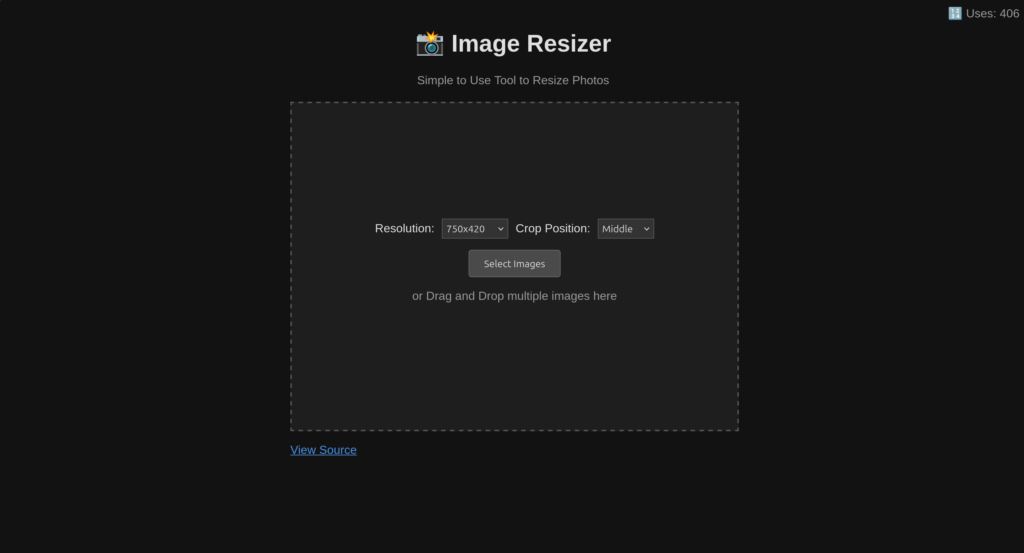
My first attempt was a small image resizer I built using Valtown, an online vibe coding tool. It was also my first real experiment with vibe coding, and when the thing actually worked, I was rather pleased with myself.

As you can see, it was very basic. But it worked.

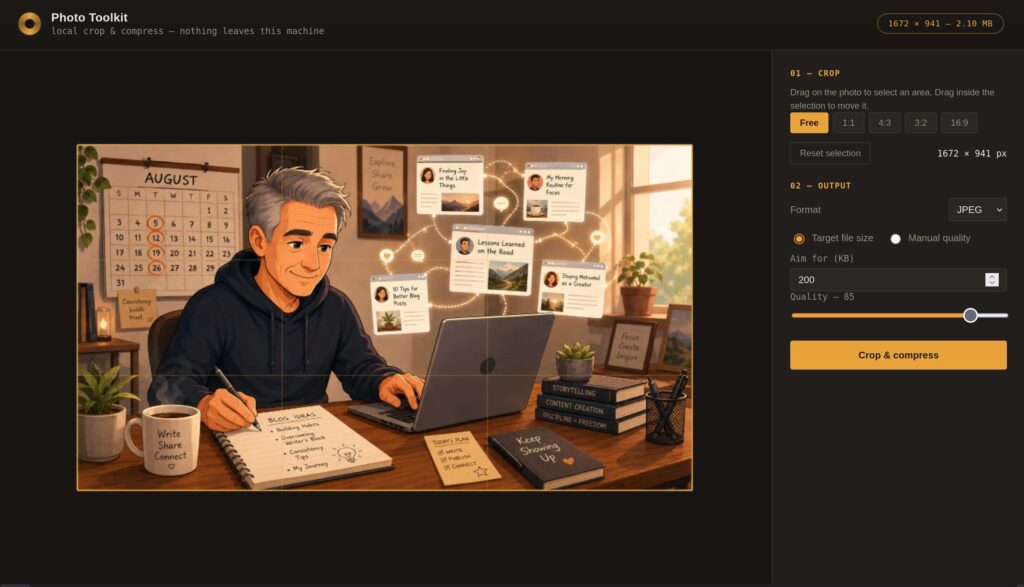
After a while, though, I wanted something better. So I asked Claude to build me a more complete photo tool. That resulted in a surprisingly polished browser-based application. It is fast, the interface looks good, and it allows me to resize and crop images exactly the way I want.

There was only one problem.

I still had to use it manually. For every photo, the workflow looked something like this: save the image somewhere, open the Photo Toolkit, load the image, choose the correct crop, resize it, download the result and then upload that version to the CMS. Again, none of this is difficult. But repeat it ten or fifteen times a day and suddenly it feels like an awful lot of clicking.

So I started wondering whether I could remove the clicking altogether. Could “the computer” simply notice that I had downloaded a large image and resize it for me? According to Claude: yes.

Which is how my Photo Toolkit slowly turned into something slightly different. I now have a small service running permanently in the background on my Linux laptop. It watches my Downloads directory. Whenever a new photo or illustration appears there, the service notices it and automatically creates a much smaller version of roughly 300 kB. The original file stays exactly where it is. Next to it appears the resized version. That is important, because sometimes I still want the original image for something else. Perhaps I want to crop it differently later, use it in print, or simply keep the highest-quality version available. So nothing is overwritten. The service just adds a website-friendly copy.

There are obviously a few practical details to solve. My Downloads directory does not only contain images. There may also be PDFs, ZIP files, documents and all sorts of other things in there. A 21 MB PDF does not suddenly need to become a 300 kB JPEG. The watcher therefore only pays attention to a small number of image formats, such as JPEG and PNG. It also needs to know which files it has already processed. Otherwise it could discover its own resized image and resize that one again. And again. And again. That has been solved by marking processed images so the service knows to leave them alone.

The nicest part is that I now barely notice any of this. The watcher runs quietly in the background. When I restart my laptop, the service starts automatically. I do not have to open an application. I do not have to remember anything. I download an image. A few seconds later, the smaller version is simply there.

This is probably not going to change the world. But it does remove a repetitive little task from my working day, and I rather like tools that do that. Especially when, after a while, you almost forget that the tool even exists.

If this sounds useful to you as well, have a look at the Just Me Toolkit page. You can find the link to it on the left-hand side of the main text on this blog.

So Apparently Facebook Might Keep You Posting After You’re Dead?

I thought dying was a reasonably reliable way of stopping your social-media activity. Apparently, even that may eventually become optional. Because Meta has been granted a patent for technology that could allow an AI to simulate a user of a social network when that person is no longer around. The patent has the wonderfully reassuring title Simulation of a user of a social networking system using a language model.

See here for more: https://www.businessinsider.com/meta-granted-patent-for-ai-llm-bot-dead-paused-accounts-2026-2?utm_source=chatgpt.com and https://patents.justia.com/patent/12513102?utm_source=chatgpt.com.

Basically, an AI could learn from the things you have posted, liked, commented on and interacted with, and then use all that information to behave a little bit like you. Sounds like typical AI. But then it gets interesting. The patent explicitly talks about situations in which somebody is absent from a social network for a longer period. Perhaps you have simply decided that spending three hours a day scrolling through Facebook isn’t actually improving your life. Fair enough. But the patent mentions another possible reason for your absence. You might be dead. And your AI version could potentially carry on.

I find this a genuinely bizarre idea.

Now, I can imagine some situations in which technology like this could actually be useful. Someone who knows they are seriously ill might want a few messages to appear after their death. A birthday message for their children, perhaps. A final note to friends. Maybe even a couple of posts saying goodbye. We already do something similar with letters and videos.

But there is quite a big difference between:

“Here are five messages I wrote before I died. Please publish them afterwards.”

and:

“Here is an AI that has studied everything I ever posted. Just let it carry on being me.”

The first is still you. The second is somebody’s statistical approximation of you. That difference becomes even more interesting when money enters the picture. Imagine that you have built a very successful social media account. Perhaps you have thousands of followers. Every post generates hunderds of comments, likes and shares. People spend time looking at your content. The platform serves advertising around all that activity. Your account has commercial value. Then one day you stop posting. Perhaps you simply decide that social media is no longer for you. Perhaps you disappear for what the patent calls a longer period. Or perhaps you die.

Normally, that would mean the end of the content stream. No more posts and no more comments. So, no more engagement. And obviously: No more advertising around all that engagement. Unless, of course, an AI version of you could simply continue. And that is where I start to feel rather uncomfortable about this idea.

To be absolutely clear: having a patent does not mean that a social network is about to introduce this. Companies patent enormous numbers of ideas that never become actual products. At least not yet. But the patent does make the possibility technically and commercially imaginable. And once you look at it that way, some fairly strange questions appear. If the AI keeps posting after I have left a social network, are those still my posts? If it responds to somebody, have I responded? When a racist or otherwise offensive message appears on my account, how do I prove that it wasn’t posted by me, but by an AI? If it expresses an opinion I would probably have expressed, is that my opinion? And who decides when it should stop?

There’s something else I find particularly odd about all this. For years, a lot of people have been putting enormous amounts of themselves into social networks: photos, conversations, friendships, opinions, jokes, arguments, interests, political discussions, holiday pictures, and thousands upon thousands of small signals about who we are. Until now, we mostly thought of that as data about our past behaviour. AI potentially turns it into something else: training material for a future version of ourselves.

I’m not on Facebook, but I can imagine that, for many people, a Facebook profile used to be something of a digital archive. You could scroll back and see what someone actually said ten years ago. An AI-generated account would be fundamentally different. It could start producing things that the original person never said at all. Perhaps they would have said them. Perhaps not. We will never know, will we?

I suspect there will eventually be useful applications for this kind of ideas. Used deliberately and under the control of the person involved, it might even become a fascinating new way of leaving something behind. But an automated social-media ghost that continues generating engagement because its owner is “absent for a longer period”? That sounds considerably less appealing. Especially when the platform running the ghost also happens to make money from keeping people scrolling, commenting and watching.

The Best Platform Is the One You Own

A few days ago I came across this video (https://www.youtube.com/watch?v=5kZY7eLm264) by investigative journalist Scott Carney and it reminded me of one of the most important lessons of the independent web: Build your own website. That doesn’t mean you should stop using other platforms. Far from it. Platforms can be useful. They can help you find people, join conversations and get your work in front of an audience. And some of them are genuinely nice places. They may be small. They may be run by people whose ideas about the internet you completely agree with. They may feel like communities rather than companies. But they are still somebody else’s place. That distinction matters.

Friendly platforms are still platforms

In the video Carney discusses his relationship with Substack. And I think it is a particularly interesting one because Substack originally seemed like an alternative to the big social platforms. The basic idea was attractive: writers could publish directly for readers, readers could pay them directly and journalists would no longer have to depend entirely on publishers, advertising or algorithms.

But Carney argues that Substack itself is changing (https://sgcarney.substack.com/p/the-real-reason-that-substack-is). It added Notes, which looks much more like a traditional social-media feed. It introduced the distinction between subscribers and followers, and added video, livestreaming and short clips. In other words, a service built around newsletters and subscriptions gradually started looking more like the platforms it once seemed to offer an alternative to.

That matters because, according to Carney, all that free content and endless scrolling may be good for growing Substack, but not necessarily for the people publishing there. His own follower numbers increased dramatically, while the number of people actually paying for his work did not grow in anything like the same way. He describes the broader problem as subscription fatigue: there are only so many newsletters people have the time and money to pay for.

What I find particularly interesting is his response. He doesn’t dramatically announce that he is leaving the internet or refusing to use platforms ever again. He adapts. He uses YouTube. He works with sponsors, although he says he is very selective about the companies he accepts money from. And he no longer assumes that one particular platform or one particular business model will provide a permanent solution.

You give up control

To me, that is exactly the point. The problem with building your online presence on a platform is not necessarily that the people running it are evil, greedy or waiting for an opportunity to lock you in. They may be wonderful people. The problem is simply that you don’t control what happens next. Because someone else controls the software. Someone else decides how it develops. Someone else can change the rules, the business model or the priorities. The organisation behind it can run out of money, change direction, be acquired or simply disappear.

Your website should be the center

This is why I increasingly think of platforms as satellites. My website is the center. I can post links somewhere else. I can participate in discussions. I can experiment with new communities and services. If one of them disappears tomorrow, that would be annoying. But Just Me would still be here. My articles would still be here. My links would still work. My no doubt bizar collection of posts about Linux, space, music, open source, digital autonomy, industrial technology, old websites and whatever else happens to interest me would still have a home.

To me that is important. Especially now that so much of the internet seems to consist of publishing things inside systems controlled by somebody else.

And there is another reason

There is also a much less serious reason to build your own website: It is fun.

You can change the design because you feel like it. Add a page nobody asked for. Build a ridiculous little web tool. Change your fonts. Break something. Repair it again. Discover that WordPress is doing something mysterious. Spend far too much time solving a problem that nobody visiting your site will ever notice.

That is part of the pleasure. A personal website isn’t just a publishing platform. It is also a project. And unlike almost every other platform on the internet, it can become exactly as boring, complicated, colourful, minimal, experimental or peculiar as you want it to be. Because it is yours. Maybe that is the best reason of all.

Journalism Has Plenty of Ideas. So Why Do We Keep Throwing Them Away?

For the past five or six years, I have been involved in something resembling a Dragon’s Den at a Dutch journalism school. Groups of students have to come up with an idea for a new journalistic product. They develop the concept, think about the audience, work out a business model and eventually present the whole thing to a jury.

I enjoy doing this. Some of the ideas are not particularly interesting. Others are reasonable, but turn out to be variations on things that already exist. That does not bother me too much. These students are young. They are inexperienced. They are learning. I don’t expect a group of journalism students to have the market knowledge of someone who has worked in media for twenty years.

And every now and then, there is an idea where you think: yes, there is something here. Perhaps it is not quite ready. Perhaps the business model is shaky (it always is at least that…) . Perhaps the technology is too ambitious. But you can see a potentially interesting journalistic product emerging.

And then something rather strange happens.

Nothing.

Six years of ideas disappearing

As far as I know, not one of the projects I have seen during all those years has actually been developed into a real product. Not one. I find that seriously disappointing. Not because I expect students to start companies immediately after presenting their project. Most of them have exams to finish, internships to do and careers to start. But there is something odd about a journalism programme generating dozens and dozens of new product ideas and apparently treating almost all of them as disposable.

Present -> Get a grade -> Move on

Next year, a new group of students arrives and everybody starts from zero again. Why?

I have discussed this with people at the school before. Why does every team have to invent something completely new? What if a previous group had a genuinely good idea but took it in the wrong direction? A new team might see something the first team missed. What if a new group improved the prototype? What if group three tested it with a real audience? What if the group in the next year finally launched it?

That starts to look a lot more like actual product development. And, frankly, journalism could use some of that.

Build a library

There is an even simpler option: put all those ideas online. Create a website where the school publishes the concepts developed by its students. Explain the problem each project tried to solve, the proposed product and the intended audience. Forget the business model, that will come later. Don’t hide the unsuccessful ideas either. They may be the most interesting ones.

After a few years, you would have an enormous collection of experiments in journalism. Future students could browse through it. Journalists could browse through it. Independent publishers and content creators looking for ideas could browse through it. Existing media companies suffering from the familiar shortage of internal product innovation could browse through it. Someone might look at a five-year-old student project and think: that was actually a pretty good idea. It just needs this.

That would be useful, both for developing new journalistic products and, importantly, for journalists looking for work. At the moment, many of these projects seem to disappear shortly after the presentation. That feels like an extraordinary waste.

Maybe the ideas should be smaller

There is another assumption worth questioning. Why does a student team have to invent an entire journalistic product? A publication. A platform. An app. A new media brand. Those are huge projects. Perhaps journalism students should sometimes also be encouraged to solve one irritating little problem instead.

I thought about this after coming across Normal Headlines (https://normalheadlines.jamesreeves.co/?ref=jamesreeves.co). The idea is wonderfully small. Its creator became frustrated with the increasingly clickbait-like headlines used by The New York Times. The reporting itself might still be perfectly good, but the headline sometimes seems deliberately constructed to conceal the most important piece of information.

You know the format. Something like: This Will Ruin the US Auto Industry. Which tells me almost nothing. Normal Headlines replaces headlines like that with something much more informative. Something closer to: The US Auto Industry Can’t Compete With China’s Automakers on Innovation.

Now I know what the story is really about.

That is not a revolutionary new media company. It isn’t a new social network for journalists. There is no enormous newsroom behind it. It is basically one person saying: this thing annoys me, so I built something that fixes it. I love that approach.

Yes, you might lose a click or two

Of course there is a reason media companies write curiosity-driven headlines. Clicks. If the headline already tells you what happened, perhaps fewer people will click through to the article. That may very well be true.

But I increasingly wonder whether media organisations are measuring the wrong thing. Suppose a vague headline generates a few percent more clicks. Wonderful. Now ask another question. How many readers eventually become so irritated by this constant manipulation that they stop visiting altogether? And more importantly: how many paying readers conclude that a publication apparently no longer respects their time? Those numbers are much harder to put into a dashboard. But they matter. A serious newspaper or whatever news outlet should not have to trick me into reading serious journalism. Simply tell me what happened. If the story is interesting, I will read it.

Journalism has a product problem

This brings me back to those journalism students. I sometimes worry about how little product thinking there seems to be around journalism. A surprisingly large number of students I meet want to become sports journalists or fashion journalists. There is absolutely nothing wrong with either profession. But look around. Climate change. Defence. Artificial intelligence. Industrial policy. Cybersecurity. Energy. Space. Supply chains. European technology. China. Digital sovereignty. Healthcare. Democracy itself.

There is an extraordinary amount happening in the world that desperately needs journalists who understand difficult subjects and can invent new ways of explaining them. And we don’t just need new stories. We need new journalistic products. New formats. New interfaces. New ways of finding information. Small tools. Databases. Newsletters. Visualisations. Archives. Filters. Browser extensions. Things you and I haven’t even thought of yet. And yes, maybe even something as tiny as replacing an annoying headline with a better one.

Journalism cannot afford to become lazy

Western democracy is under considerable pressure. That makes journalism more important, not less. But repeatedly saying that journalism is important is not enough. Journalism also has to earn people’s attention. That requires good reporting, obviously. But it also requires curiosity about technology, willingness to experiment and an understanding that the way people consume information keeps changing.

Journalists expect their readers to keep up with the world. Journalism has to keep up with its readers as well. That is why I would love to see journalism schools treat these student projects differently. Don’t just ask: what new thing can you invent this semester?

Ask: What problem can you solve? What previous idea can you improve? What can you actually build? What can the next group build on top of it?

And perhaps most importantly: Can we make something that still exists after you have received your grade? Because after sitting through five or six years of student Dragon’s Dens, I have seen plenty of ideas. What I would really like to see now is one of them survive and flourish.

Printed Link Rot: The Internet Problem That Escaped the Internet

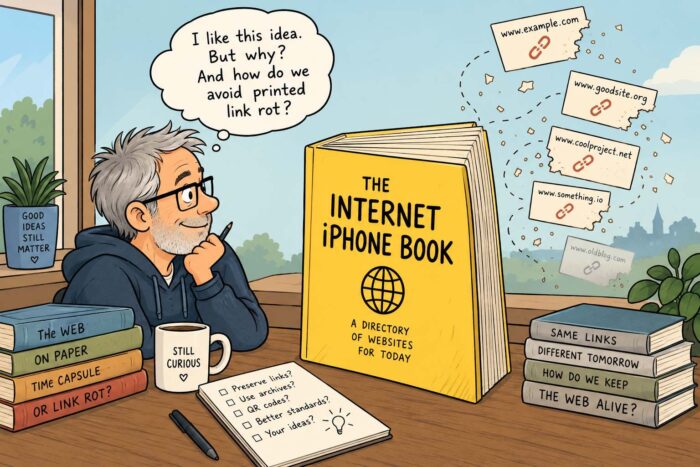
A few days ago I came across an article about a rather unusual book. It is a big yellow book full of websites. A kind of printed directory of the internet. The author describes it as an “Internet Phone Book” — a physical snapshot of a digital world that changes every second. They are working on version 2 now as well. (https://internetphonebook.net/).

A book full of website links? I have to admit: I like the idea. But I am not entirely sure why. Maybe it is the same reason I still like vinyl records, printed books and old computer magazines. There is something satisfying about information that exists as a physical object. Something you can put on a shelf, pick up years later and browse without needing an account, an app or a subscription.

But then I read a term that surprised me: printed link rot. I had never heard that expression before. And it immediately connected with something I wrote about recently: digital link rot (https://justme.website/content-creation/the-web-has-a-memory-problem/). In other words: the slow decay of the web. Websites disappear. Companies shut down. Platforms change their rules. Domains expire. Articles move. The links that once connected the internet together slowly stop working.

In that previous post, I looked at some strategies to reduce the problem. Using permanent URLs. Keeping your own archives. Avoiding unnecessary dependence on platforms that may disappear. But printed link rot? That is a completely different challenge.

A printed book full of website addresses is already frozen the moment it is published. The links do not change inside the book, but the internet behind those links does. A website that works today may lead to nothing five years from now. And unlike a digital page, you cannot simply update a printed book with a new URL. That makes printed link rot a strangely sad idea. A book that tries to preserve the internet could eventually become a record of things that no longer exist.

But maybe that is also part of the charm. After all, old books, magazines and newspapers are full of references to companies, people and places that disappeared long ago. We accept that as part of – well – history. Maybe an internet book will work the same way. Not only as a practical guide, but as a time capsule.

Still, I wonder: How do we prevent printed link rot? Can we create better ways to connect physical publications with a changing digital world? Should books like this include archives, QR codes, alternative references or some kind of long-term preservation system? I don’t have the answer. But maybe that is exactly why this idea is interesting. The internet was built to connect information forever. Yet keeping those connections alive turns out to be much harder than we expected.

Perhaps the real question is not only how we preserve websites. It is also how we preserve the paths that lead to them.

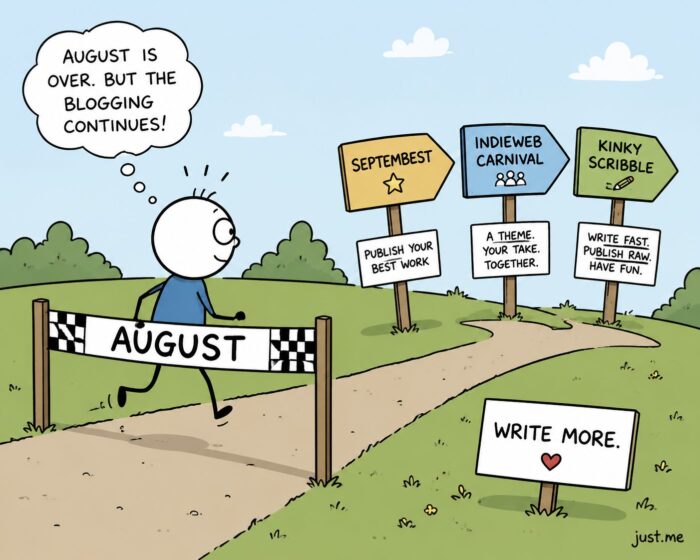
The Blogging Challenges Continue

When I wrote about Blaugust a few weeks ago (https://justme.website/uncategorized/youre-not-just-publishing-posts-youre-building-a-habit-for-your-readers/), I thought I had discovered one of those wonderfully strange corners of the internet that still exist outside the big platforms. A place where people simply decide: let’s write more. No algorithm. No engagement hacks. No content calendar created by an AI marketing tool. Just people with their own websites, sharing ideas, stories and experiments.

Blaugust turned out to be exactly that. A yearly blogging challenge where participants try to publish throughout August, sometimes every day, sometimes with a more relaxed goal. It has become a small festival of personal publishing, especially popular in IndieWeb circles.

But apparently I was too quick to think that August was the end of the story. Because September has its own collection of writing challenges. The internet is full of people who refuse to stop writing.

SeptemBest: a September for better blogging

One of the challenges that caught my attention is SeptemBest (https://robertbirming.com/septembest-blog-challenge/). The idea is simple: use September as a month to publish your best work. It is less about producing something every single day and more about creating, sharing and discovering interesting blog posts. Some participants use it as a continuation of the energy they built up during Blaugust. Writing challenges are often described as productivity exercises. A way to force yourself to create more. But I think the better description is: they create momentum.

Publish something every day during Blogtober

And if September isn’t enough, there is always October. I discovered Blogtober (https://tantek.com/2025/303/t1/october-blogging-challenges), which is wonderfully straightforward: publish something on your blog every day in October. Thirty-one days, thirty-one posts. There is no big organisation behind it and no complicated set of rules. It is simply another of those traditions that has emerged among bloggers who apparently need very little encouragement to make writing unnecessarily difficult for themselves.

I like this idea because it reflects something that has always been special about blogs. A blog post is not just a piece of content. It is a conversation (sorry, that word sounds a bit too Big Tech-like…). The big platforms tried to turn publishing into a competition for attention. IndieWeb-style projects often go in the opposite direction. They encourage curiosity, personal perspectives and connections between independent websites. The result is slower. But maybe also more interesting.

Kinky Scribble: embracing imperfect writing

There are also more unusual challenges. The Kinky Scribble Challenge (https://ellelargesse.com/2026/08/30/sks/) for example, focuses on writing quickly and publishing with minimal editing. The idea is closer to a small, quick & dirty brain dump than writing a highly polished essay. Write something, share it, and move on. That might sound strange in a world where everyone is encouraged to polish everything endlessly. But there is something valuable about unfinished, imperfect work. Many interesting blogs started because someone simply wrote down an idea before it was completely formed. Sometimes the first version is where the interesting thinking happens.

Maybe Pink Floyd Were Kinky Scribblers Too

The Kinky Scribble Challenge also made me think of something completely different: Pink Floyd. A new live album has just been released, Live from the Los Angeles Sports Arena, April 26th, 1975. And what makes this recording particularly interesting is that Pink Floyd were playing songs that, in a way, weren’t finished yet.

The band was between The Dark Side of the Moon and Wish You Were Here. The former had been released two years earlier and had turned Pink Floyd into one of the biggest bands in the world. Wish You Were Here, however, wouldn’t appear until September 1975, so six months later. That didn’t stop them from playing much of it in Los Angeles in April.

Even more remarkable: they also played early versions of material that would eventually end up on Animals. That album wouldn’t be released until January 1977, almost two years later. In other words, the audience wasn’t simply listening to Pink Floyd performing its catalogue. They were listening to the band working on its future catalogue.

And that is where I see the connection with Kinky Scribble. The idea behind Kinky Scribble is to stop treating publishing as the final stage of a perfectly polished piece of work. Write something. Don’t spend forever editing it. Put it out there. See what happens. Continue working. Pink Floyd did something surprisingly similar on stage. Songs weren’t necessarily written, recorded, polished and then performed. Some developed while the band was playing them. Early versions were often a very rough work-in-progress. They changed, grew and were gradually polished until they became the versions we now know from albums like Wish You Were Here and Animals.

I like that idea. We have become accustomed to thinking that publishing means something is finished. A blog post should be polished before you press Publish. An album should be finished before anyone hears the songs. But perhaps publishing can also be part of the creative process. Write it. Play it. Put it in front of people. And then keep working on it.

Somehow it also reminds me of the Building in Public trend. But that is for another time.

The return of the personal web

What I find fascinating about these challenges is not the challenges themselves. It is what they say about the state of the web. For years we were told that blogging was disappearing. Social media would replace personal websites. Newsletters would replace blogs. Video would replace text.

And yet here we are. People are still building small websites. They are still writing about technology, books, music, games, politics, everyday life and completely random observations. Why? Maybe it is because a personal website offers something that platforms cannot provide: A place that feels like your own.

Maybe Screenshots Are the Simplest Personal Knowledge Management Tool We Already Have

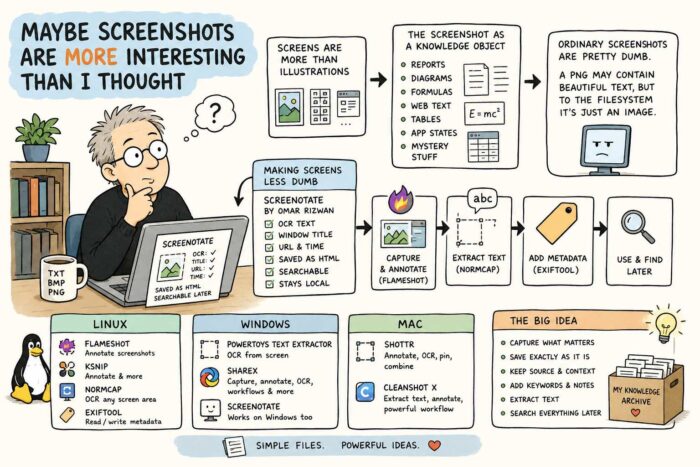
Via my recent post, I Went Looking at a Conference About Screenshots (About What?) and Found a Filesystem for Browser Tabs (see here: https://justme.website/content-creation/i-went-looking-at-a-conference-about-screenshots-about-what-and-found-a-filesystem-for-browser-tabs/), I seem to have stumbled into a new world. Or perhaps I should say that I have returned to an old one. Plain text files, bitmap images and other simple file formats have been around for as long as I can remember. They are boring in the best possible way: simple, understandable and usually not tied to a particular service or vendor. But after years of apps, platforms, cloud services and increasingly complicated workflows, I had more or less stopped thinking about them.

Then I discovered Screenshot Conf. And that made me look at screenshots differently.

A screenshot isn’t necessarily just an illustration

I take screenshots all the time. But I mostly use them as illustrations. Something interesting happens on my screen, I capture it, crop it and use it somewhere. That is about it. But screenshots can obviously be much more than that. They can be artistic objects. They can become part of collages. They can document software, interfaces and moments in digital history.

Even more interesting to me, however, is the idea of the screenshot as a knowledge object. You can capture part of a technical report. A diagram. A complicated mathematical formula. A paragraph from a website. A table from a PDF. A particular state of an application. Or simply something you don’t yet know what to do with, but suspect might become useful later.

The screenshot preserves exactly what you saw. The problem is that ordinary screenshots are fairly dumb. There may be a beautifully readable paragraph inside a PNG file, but as far as the filesystem is concerned, it is still just an image.

Making screenshots less dumb

This is where things become more interesting. Omar Rizwan, one of the people behind Screenshot Conf (https://screenshot.arquipelago.org/) and also the creator of TabFS (https://omar.website/tabfs/), made a tool called Screenotate for macOS and Windows (https://screenotate.com/). Screenotate doesn’t merely save the image. It uses OCR to recognise the text inside the screenshot and can also store information such as the window title, URL and time of capture. The result is searchable. Rizwan designed it so that screenshots remain on your own computer, with each capture stored as a self-contained HTML file.

That changes the nature of a screenshot quite dramatically. Imagine capturing one interesting equation from a 120-page research report. Normally you would later have to remember which report was that again? With a tool that also stores the source and recognises the text, the screenshot becomes part of a searchable personal archive.

That started me looking for other tools that do similar things. And there are quite a few.

Linux: Flameshot, NormCap and metadata

On Linux, Flameshot (https://flameshot.org/) is probably one of the better-known screenshot tools. It lets you annotate a screenshot immediately with arrows, text, highlights, shapes, blur and other elements. It also has a command-line interface, which means it can become part of scripts and more elaborate workflows.

Ksnip (https://ksnip.com/) takes a similar approach and combines screenshots with annotation tools.

For OCR, I particularly like the idea behind NormCap (https://dynobo.github.io/normcap/). Instead of capturing an image, you select a piece of the screen and NormCap tries to recognise the information inside it and copies the result as text. It is available for Linux, Windows and macOS and uses Tesseract OCR.

And if you really want to treat screenshots as proper information objects, there is ExifTool (https://exiftool.org/). It can read and write metadata, including XMP metadata in PNG files. That means you could add things such as descriptions, tags or other information to screenshots and potentially automate that process with scripts.

So a Linux workflow could be surprisingly simple: Take the screenshot with Flameshot. Annotate it. Extract useful text with NormCap. Add metadata with ExifTool. Suddenly a PNG is becoming something rather more useful.

Windows has some very good options too

Windows users have PowerToys Text Extractor (https://github.com/microsoft/PowerToys/blob/main/doc/devdocs/modules/textextractor.md), Microsoft’s open-source OCR utility. Press a keyboard shortcut, draw a rectangle around something on screen and the recognised text is copied to your clipboard. It even works on text displayed inside images or videos.

There is also ShareX (https://getsharex.com/), which has developed into much more than a screenshot utility, with capture, editing and workflow features. And, of course, Screenotate itself works on Windows too.

And on the Mac

macOS already does quite a lot with screenshots and text recognition itself, but there are some interesting specialised tools.

Shottr (https)://shottr.cc/, for example, combines screenshots, annotation and OCR. You can select text that normally isn’t selectable, recognise it and copy it directly to the clipboard. It can also combine screenshots, pin them on screen and add annotations.

CleanShot X (https://cleanshot.com/) takes a similarly broad approach. It can extract text from screenshots and open existing screenshots directly in its annotation environment.

Screenshots as a personal knowledge layer

What interests me most is not really which screenshot application has the longest feature list. It is the underlying idea. We usually think about screenshots as disposable images. Take one, send it to someone, use it in a blog post and forget about it.

But what if screenshots become part of a personal knowledge system? You could capture an important paragraph without copying an entire document. Save a formula exactly as it was typeset. Preserve a table together with its source URL. Add keywords. Extract the text. Annotate why you thought it was interesting. Search everything later.

When I was still using an iPhone, I deliberately set the system language to English. One of the reasons was Apple Notes. Set to English, it gave me access to OCR features that were surprisingly useful for collecting information. I could be reading a magazine, come across a paragraph or even a complete article that I wanted to keep, photograph it directly from Notes and have the app turn the image into editable text inside the note. In a way, it was exactly the same idea: capture something visually first, then use OCR to turn the interesting part back into text that you can search, store and work with later.

Screenshots are fundamentally just files. That means you are not necessarily dependent on one enormous knowledge-management application to do all this. The screenshot itself can become the basic object. That feels strangely old-fashioned. And perhaps that is exactly why I like it.